Review the video script
MOVO AI turns the approved creation direction into a structured video script — scenes, pacing, dialogue, and required characters, products, or messages. Review it before generation begins.
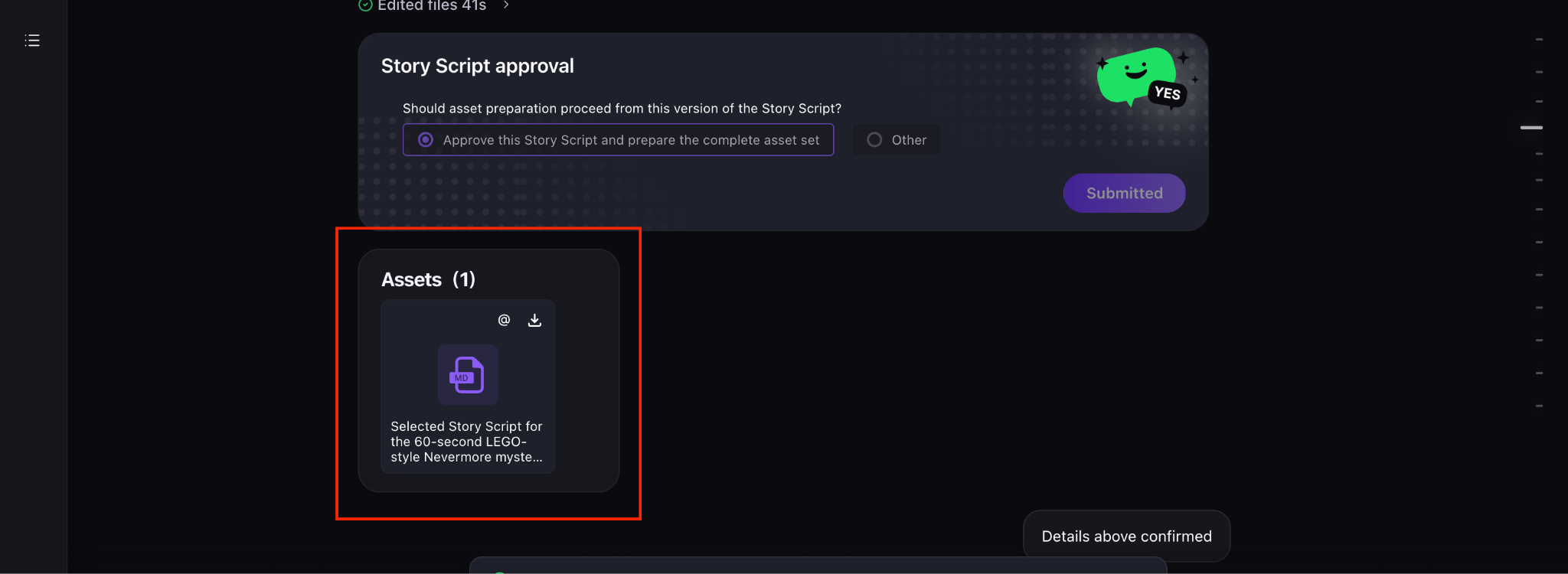
What to check in the script
Review the script to confirm that:
- The story is complete — beginning, middle, and end all present.
- The pacing fits the target duration — no rushed or padded sections.
- All required characters, products, or messages are included where they belong.
- The dialogue and tone match the audience you specified.
Give targeted feedback, not full rewrites
If you need changes, describe the exact section and the desired result rather than asking MOVO AI to rewrite the entire script. Targeted feedback is faster, uses fewer credits, and preserves the parts of the script that already work.
Point to the scene, state the problem, propose the direction. Example: "Scene 2 feels flat — add a reaction shot of the customer smiling before the product close-up."
Why the script comes before generation
Generating video is the most credit-expensive stage of the workflow. Approving the script first ensures every shot MOVO AI renders serves a scene you have already committed to. It also lets you catch missing beats — a call to action, a product reveal, a narrative payoff — before any credits are consumed.
Next steps
Continue with the next part of the workflow:
Quick answers
What is in a MOVO AI video script?
A structured breakdown of scenes, pacing, dialogue, and required characters, products, or messages — generated from the approved creation direction. It is the blueprint for shot generation.
How do I ask for script changes?
Point to the specific scene, state the problem, and propose the direction — for example, "Scene 2 feels flat, add a reaction shot before the product close-up". Targeted feedback is faster and cheaper than a full rewrite.
Why does MOVO AI generate the script before the video?
Because video generation is the most credit-expensive stage. Approving the script first ensures every shot MOVO AI renders serves a scene you have already committed to.
What should I look for when reviewing the script?
Completeness (beginning, middle, end), pacing matches the target duration, all required characters and products appear, and the dialogue and tone match your target audience.
Get 100 free credits