Sign in with Google or Apple
MOVO AI uses 1-click authentication with Google or Apple Single Sign-On — no separate password required. Open your workspace in seconds and start creating videos.
For the best workspace experience, open MOVO AI in Google Chrome on desktop.
Step 1 · Open MOVO AI Workspace
Visit movoai.pro to open the workspace. This is the central hub for every Project, creative asset, and video you produce with MOVO AI.
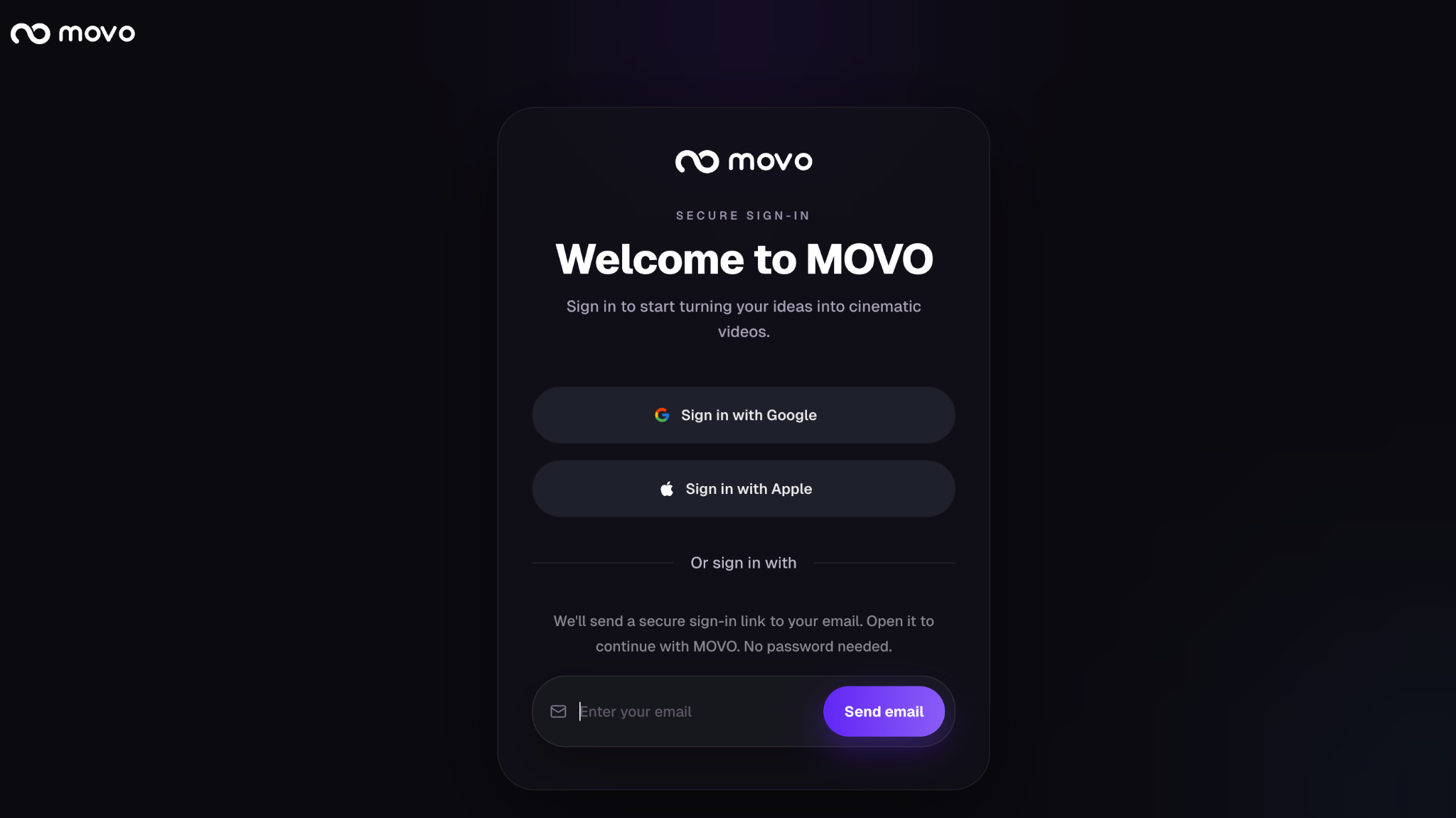
Step 2 · Choose Google or Apple
Sign up or log in through 1-click authentication with Google or Apple Single Sign-On. MOVO AI does not store a separate password — access is managed entirely through your chosen provider.
What "1-click authentication" means
- No password to remember — MOVO AI redirects you to Google or Apple, where you approve access once.
- Faster returning sessions — subsequent sign-ins skip the login form entirely if you are already signed in to Google or Apple.
- Account security stays with your provider — MFA, passkeys, and device trust from Google or Apple carry over to MOVO AI.
Your Projects, assets, and credit balance are tied to the provider account you sign in with. If you have both Google and Apple options, choose one and reuse it so your work stays in a single workspace.
Step 3 · Land in your workspace
After authentication, MOVO AI opens the workspace. You can now create your first Project, manage creative assets, and start the production workflow that turns your ideas into finished videos.
Next steps
With your workspace ready, continue through the setup flow before generating your first video:
Quick answers
How do I sign in to MOVO AI?
Visit movoai.pro and use 1-click authentication with Google or Apple Single Sign-On. MOVO AI does not store a separate password — access is managed entirely through your chosen provider.
Do I need a separate MOVO AI password?
No. MOVO AI uses Google or Apple Single Sign-On, so there is no separate password to remember. Your account security (MFA, passkeys, device trust) is inherited from your Google or Apple account.
Can I switch between Google and Apple sign-in later?
Projects, assets, and credit balance are tied to the provider account you sign in with. If you sign in with a different provider, you land in a different workspace. Reuse the same provider each time to keep all your work in one place.
Which browser works best with MOVO AI?
For the best workspace experience, open MOVO AI in Google Chrome on desktop.
Get 100 free credits