Choose an operating mode
Operating modes control how often MOVO AI stops for your approval during a session — Ask All, Ask for Video, or Auto. Pick one at the start based on how much control you want.
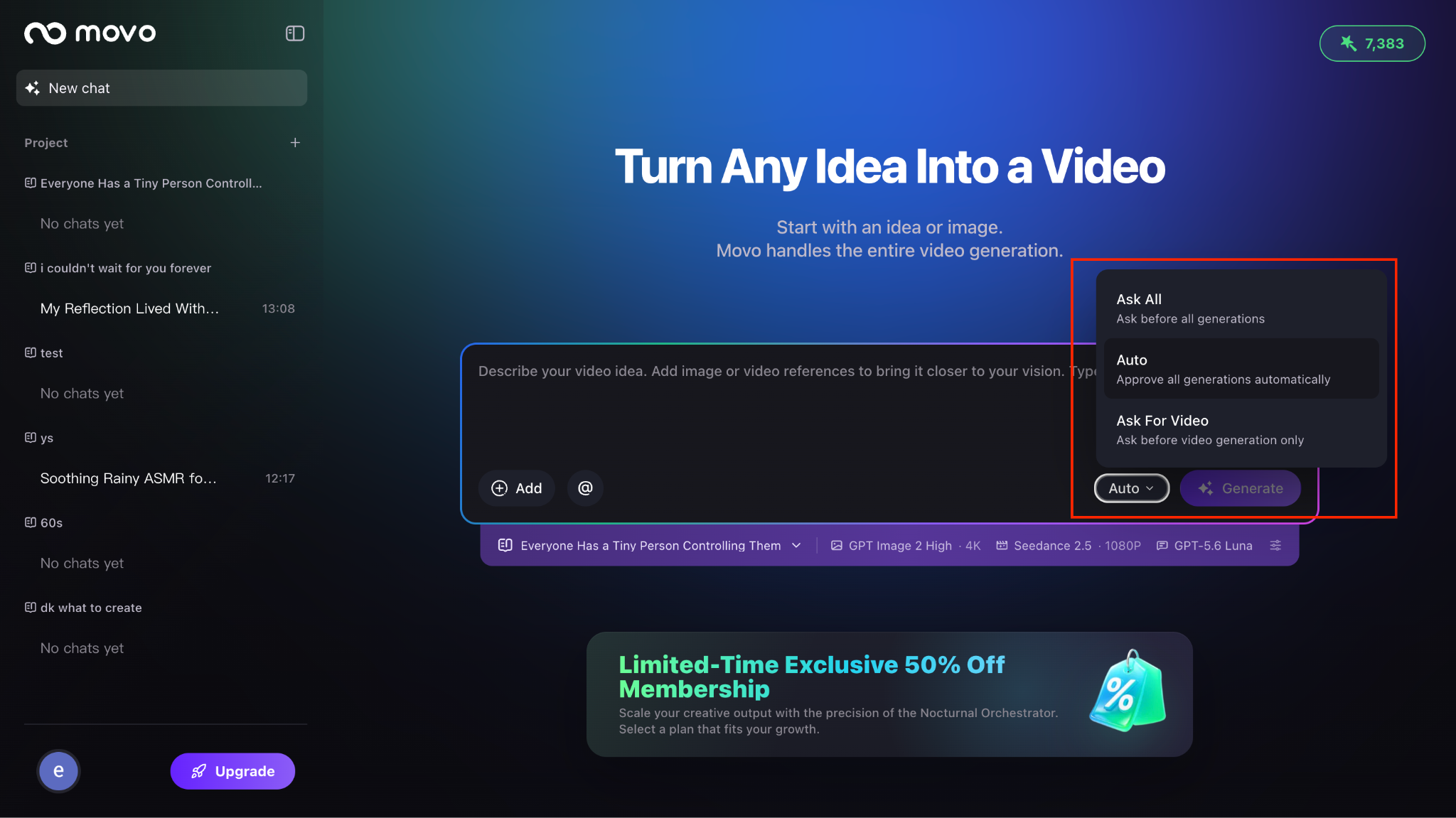
Ask All · Default
MOVO AI asks for your approval before every action that consumes credits. This mode is recommended when you want full control and visibility at every stage of the workflow — reviewing each image, audio clip, and video shot before it is generated.
Learning the product, high-stakes brand work, or when every credit matters.
Ask for Video
MOVO AI automatically completes the planning and pre-production steps before the first video clip without requesting separate approval for images, audio, or other preparation assets. Approval is still required before video generation begins.
Users who already have complete creative assets and want a faster setup with a checkpoint only where it costs the most (video).
Auto
MOVO AI automatically completes the entire workflow and delivers the final video with minimal interruption. Use this mode when you trust the creative direction and want a hands-off run.
Auto mode consumes credits without pausing. Confirm your brief, model configuration, and expected duration carefully before starting.
Can I switch modes during a session?
No. The operating mode is set at the start of the session and cannot be changed mid-workflow. If you need a different mode, start a new session (in the same Project) with your preferred mode.
Next steps
Continue with the next part of the workflow:
Quick answers
What are the three MOVO AI operating modes?
Ask All (default) — approval required before every credit-consuming action. Ask for Video — automatic pre-production, approval only before video generation. Auto — full automation with minimal interruption.
Which operating mode should I use?
Use Ask All when learning the product or working on high-stakes brand videos. Use Ask for Video when your creative assets are ready and you want a faster setup. Use Auto when you trust the brief and want a hands-off run.
Can I change the operating mode after the session starts?
No. The mode is set at session start and locked for that session. Start a new session in the same Project if you need a different mode.
Does Auto mode still ask for approval?
No — Auto mode runs the entire workflow without pausing. Confirm your creative brief, model configuration, and expected duration carefully before selecting Auto.
Get 100 free credits