Describe your vision and upload assets
Describing your vision to MOVO AI means typing what you want to create in the chatbox and optionally uploading reference materials. Supported formats — images, videos, documents, or audio — shape the visual direction, pacing, and sound.
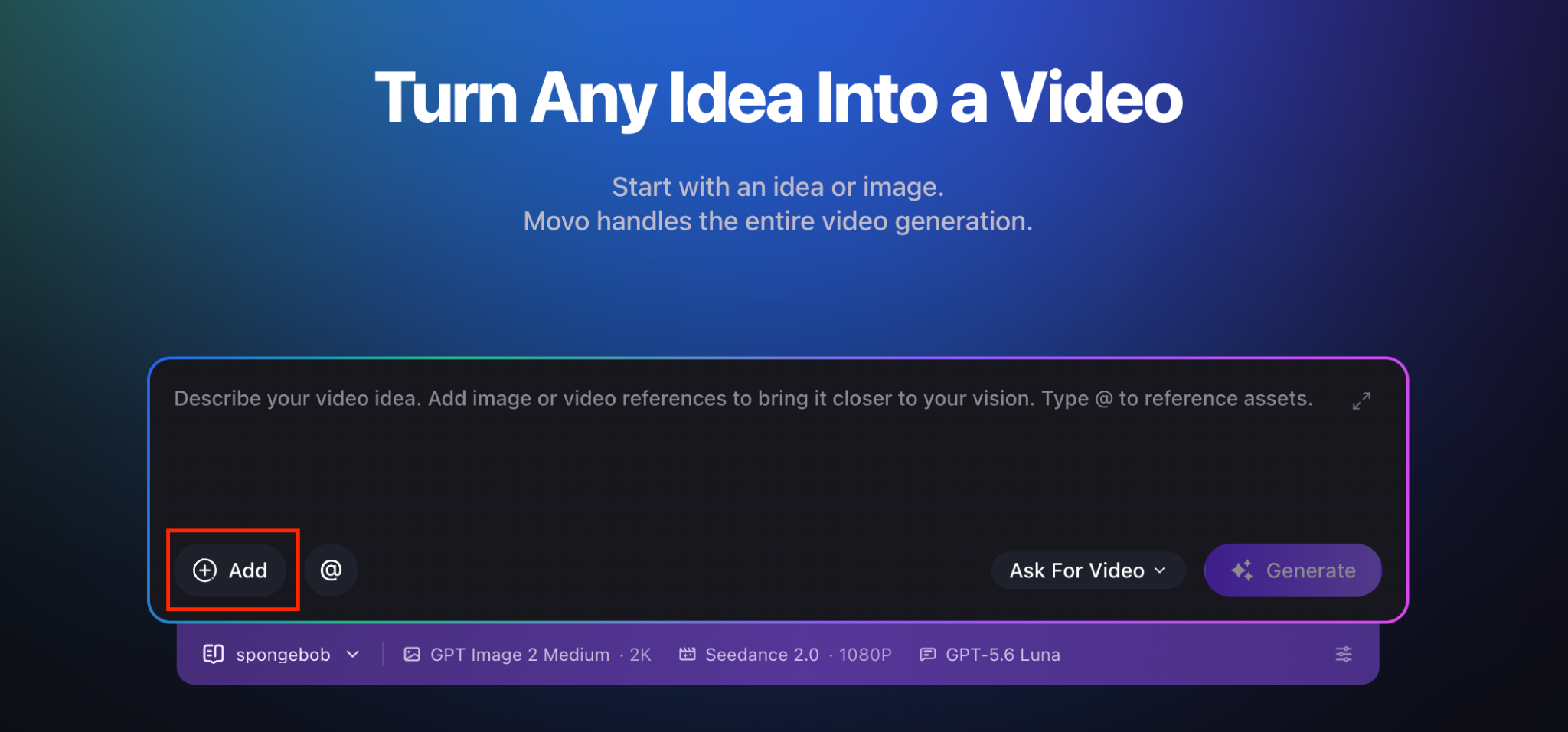
What to include in your request
For better results, clearly specify the following in your brief:
- The video concept and goal — what story or message you want to convey.
- Target audience — who the video is for.
- Preferred duration — total length (e.g. 30 seconds, 90 seconds, 3 minutes).
- Aspect ratio — 9:16 for vertical social, 16:9 for landscape, 1:1 for square.
- Main character, product, or subject — the focus of every scene.
- Visual style and tone — cinematic, documentary, animated, high-key, moody, etc.
- Dialogue, narration, or music requirements — script snippets, voice style, music mood.
- How each uploaded reference should be used — e.g. "use image 2 only as the product design reference".
Supported upload formats
MOVO AI accepts a wide range of reference materials. You can upload up to 20 assets at one time.
Images
- JPG, PNG, WEBP, HEIC, and other common formats.
- Up to 10 MB per image.
Videos
- MP4, MOV, AVI, and other common formats.
- Up to 200 MB per video.
Documents
- TXT and MD.
- Up to 5 MB per file.
Music and audio
- MP3, M4A, and WAV.
- Up to 10 MB per file.
Send your request to begin the session
Once your brief and assets are ready, send the message. MOVO AI reads everything you provide and analyzes it before proposing a creation direction — the next stage of the workflow.
Next steps
Continue with the next part of the workflow:
Quick answers
What file formats can I upload to MOVO AI?
Images (JPG, PNG, WEBP, HEIC, up to 10 MB each), videos (MP4, MOV, AVI, up to 200 MB each), documents (TXT and MD, up to 5 MB each), and audio (MP3, M4A, WAV, up to 10 MB each). You can upload up to 20 assets at one time.
How many assets can I upload at once?
A maximum of 20 assets per upload session. If you have more, upload them in batches or send additional messages during the session.
What should I include in my creative brief?
The video concept and goal, target audience, preferred duration, aspect ratio, main character or subject, visual style and tone, dialogue or music requirements, and how each uploaded reference should be used.
Can MOVO AI use references in a specific role?
Yes. Explicitly tell MOVO AI how each reference should be used — for example, "use image 2 only as the product design reference" or "match the color palette of image 1 across all scenes".
Get 100 free credits