Best Free No-Sign-Up AI Image Generators for Storyboards

Use a Free Image Test to Answer a Story Question
The best free no-sign-up AI image generators can be useful before video production when they help you answer a specific question. Can the setting establish the story? Is the character's goal visible? Does the final image resolve the action? A storyboard test should clarify those decisions, not simply produce a folder of attractive pictures.
This article focuses on a small production exercise rather than repeating a general tool ranking. For the access-oriented shortlist, read the free AI image-generator comparison. Here the goal is to choose and save images that make the next creative step easier.
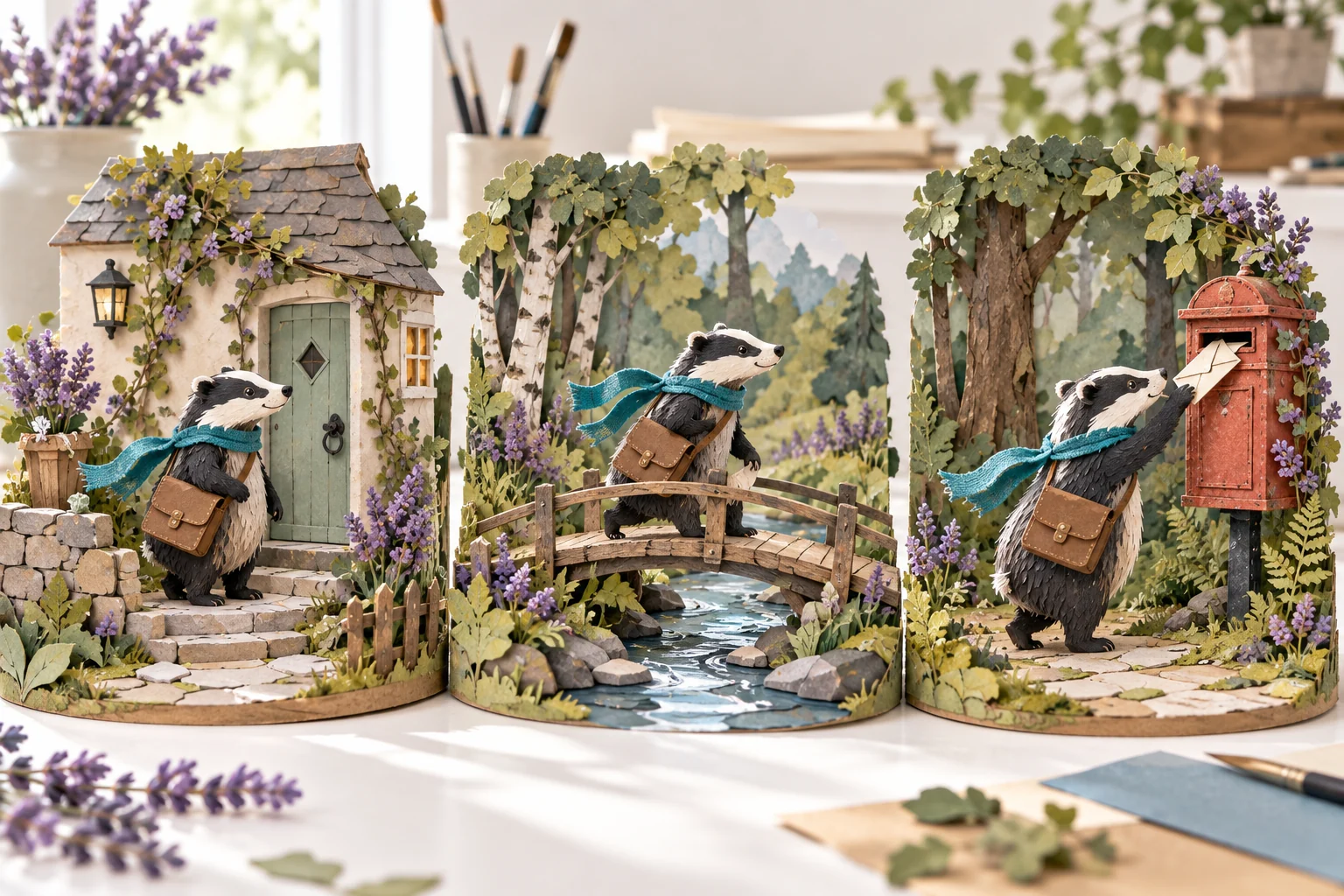
The cover is an original illustration of a fictional courier sequence. It is not a benchmark result from the listed tools or evidence that anonymous generation guarantees a consistent character. Use it as an example of story roles that can be evaluated visually.
Choose an Anonymous Image Entry Point
Craiyon, DeepAI and Perchance have official pages advertising free image generation without sign-up. Check the current mode and controls before starting. Account-based editing, premium output and saved project features may follow different conditions.
Choose the entry that lets you run the small experiment you need and retain a useful result. Do not assume that a landing-page gallery used the same free mode available to your session. Inspect the actual saved image rather than treating the promotional example as your expected output.
This is not a hands-on ranking of quality or speed. The method below helps you make your own project-specific comparison without inventing a universal winner.
Write a Three-Frame Storyboard Brief
Use three distinct story roles: establish the situation, show the action and reveal a result. Keep the subject and visual direction simple enough that a viewer can understand the sequence without a long explanation.
An original badger courier in a teal scarf starts beside a small cottage with a parcel. The middle frame shows the courier crossing a narrow forest footbridge. The final frame shows arrival at a welcoming postbox clearing. Keep the world warm and handcrafted, with a clear focal point in each scene.
The example provides a subject, a goal and a progression. Replace it with your own project. For an educational sequence, the three roles might be problem, process and result. For a product concept, they could be context, relevant use and the benefit you can accurately demonstrate.
Write the purpose of each frame beside the prompt. If the image does not communicate that purpose, decide whether the prompt or the story plan needs to change before generating more variations.
Compare Story Clarity Before Fine Detail
Check the focal point
View the image at thumbnail size. Can someone identify the important subject and action? An elaborate background may reduce clarity even when its details look impressive.
Check the relationship between frames
Place the saved images in story order. Does the middle image connect the opening to the result? If the relationship is unclear, another decorative variation may not solve the problem. Revise the missing story information.
Check whether the scene can move
Imagine one simple motion inside the frame. A composition that is overcrowded or hides the main action may become more confusing when animated. Leave the future shot a clear visual job.
Record an approval decision
Write why you accepted a frame and what still needs correction. That note keeps the reference useful when you later change tools or turn the storyboard into a video brief.
Treat Character Consistency as a Review Task
Repeated descriptions do not guarantee identical appearances across separately generated images. Check the features that matter to the story: silhouette, wardrobe, important props and overall proportions. A shared color palette alone does not establish that viewers will recognize the same character.
Keep an approved reference and a short description of its defining details. Where the chosen tool supports reference-based work, inspect how those controls actually behave. Do not assume a text-only anonymous mode provides every editing feature shown elsewhere on the site.
If the test is only for composition, a rough placeholder character may be enough. If identity is essential to the next production step, resolve that uncertainty before investing in a long sequence. The storyboard should expose such decisions early.
Save a Reference Pack You Can Reuse
Keep the actual images, prompts, source links and your review notes together. Use filenames that show the scene role and version. Separate approved references from experiments so the next production stage does not use the wrong file.
Check the relevant usage conditions before adapting a saved result. No-sign-up access does not by itself establish commercial terms, private processing or persistent storage. Use appropriate original prompts for an initial experiment and decide where sensitive materials can be handled before uploading them anywhere.
A compact reference pack is easier to carry into a video project than an undocumented collection of images. Include the intended audience, scene order and any factual information that must remain accurate.
Move From Storyboard Frames to a MOVO AI Video
MOVO AI is a separate account-based workspace, not an anonymous image tool. Bring the approved story direction and appropriate reference assets into the project. Explain the role of each image instead of expecting the workspace to infer why it was selected.
Use image to video AI to explore a clear movement based on a chosen reference. Keep subject action and camera movement distinct. Review important visual details and continuity before extending the sequence.
If the storyboard reveals that the narrative needs work, return to the script through the video maker workflow. A useful storyboard experiment reduces uncertainty; it does not replace the review needed for the final generated video.
Frequently Asked Questions
Which free no-sign-up image tools can I start a storyboard test with?
Official pages for Craiyon, DeepAI and Perchance advertise such image-generation access. Check the live mode, saving controls and current conditions for your experiment.
Is this the same as the general no-sign-up tool comparison?
No. This article focuses on a three-frame storyboard exercise, scene clarity, reference consistency and the handoff into video production.
Will the same prompt guarantee the same character in every frame?
No. Review defining appearance details and use appropriate reference controls where supported. Repeated wording alone does not guarantee consistency.
Do I need polished final images for an early storyboard?
Not always. A rough frame can be useful if it clearly answers a composition or story question. Resolve the details that matter before the next production stage.
What should I save from an anonymous experiment?
Keep the actual image, prompt, source link, scene role and approval notes. Check usage conditions before adapting the result for a production.
Can I animate the selected frames in MOVO AI?
Use appropriate references in the account-based MOVO workspace and describe the intended movement and story role. Review the generated shots rather than assuming still-image quality guarantees motion quality.