From Several Images to a Coherent Sequence
Image to videos can describe creating separate moving scenes from still references, then connecting them into a sequence. The useful starting question is not only whether an image can move, but what each scene contributes to the video.
A set of attractive pictures does not automatically establish story order or continuity. Decide which image introduces the subject, which develops the action and which completes the idea. Keep the viewer's understanding at the center of the plan.
Use the MOVO input to describe the approved references and intended scene motion. This page does not promise unrestricted batch animation, exact preservation of every pixel or a finished sequence without review.
Prepare a Small Approved Reference Set
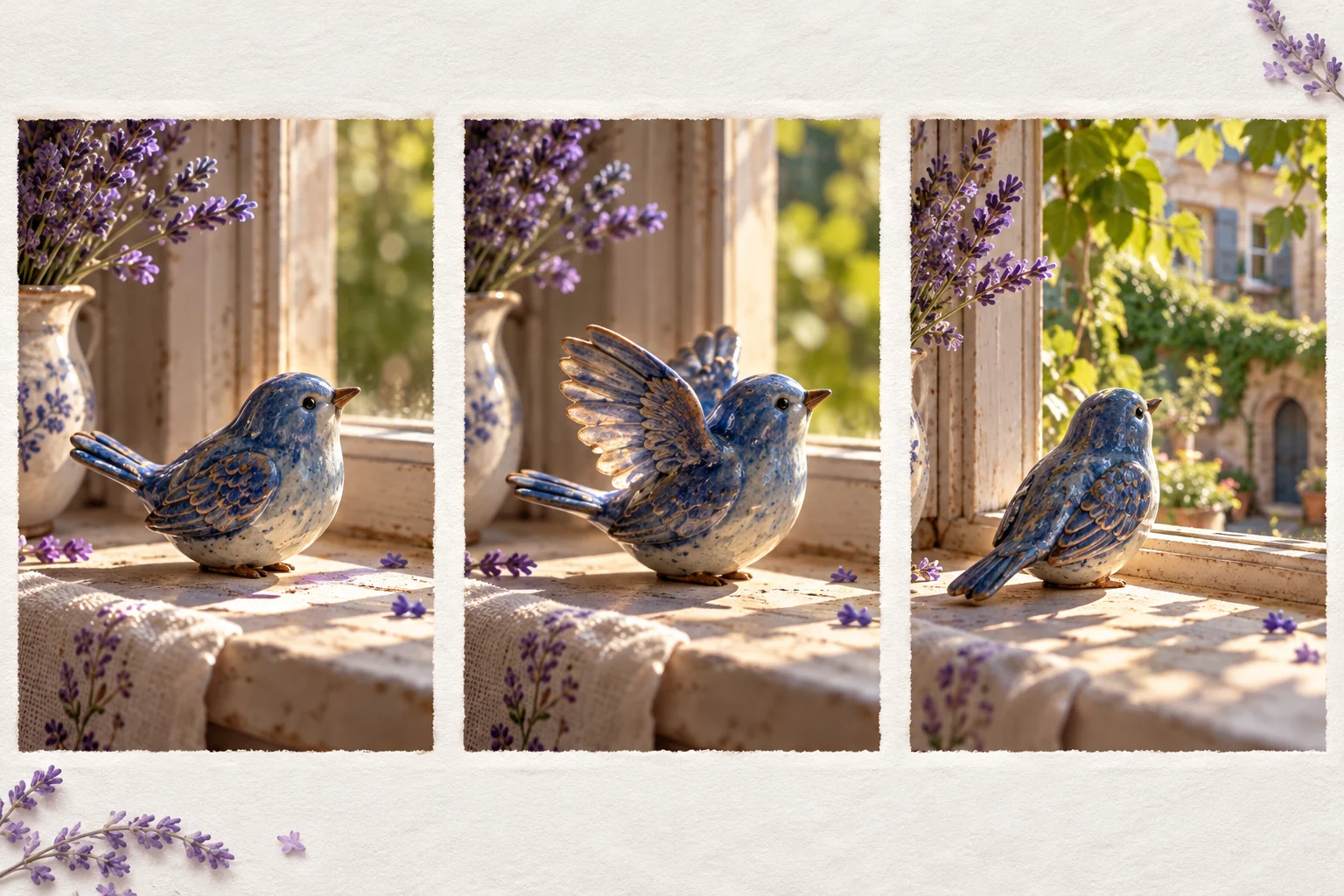
Choose original or appropriately licensed images with readable subjects. Keep the best available copies and note which details need continuity. If several images depict the same object, compare its shape and markings before generating movement.
Separate subject references from atmosphere references. A character sheet may define identity while a landscape establishes palette and light. Explain those roles so the creative brief does not ask one image to serve contradictory purposes.
Remove unnecessary references from the initial test. A focused set makes it easier to identify which image or instruction contributed to a problem. Retain the full source collection outside the working brief for later use.
Give Each Image a Specific Motion
Describe one main action per scene. An original ceramic bird can turn gently on a windowsill while leaves move outside. A later scene can change its view toward the courtyard. The action should serve the story rather than add arbitrary movement.
Specify camera behavior separately from subject motion. A restrained push-in and a subject turning are different instructions. Start with a simple relationship that you can inspect before adding more complex movement.
Consider how each scene begins and ends. If the sequence needs a connection, plan compatible framing and movement direction. A useful generated shot should have enough clean material for the intended transition.
Review Identity Across the Whole Clip
Watch important details through time. A stable first frame does not establish that the subject remains consistent when it turns or moves behind an object. Inspect proportions, markings and key props in the complete output.
Compare scenes against the same approved references. If the palette changes because the story moves from daylight to evening, distinguish that intentional change from an unintended redesign. Keep notes about what should remain stable.
Do not assume generated motion provides factual evidence about a photographed person or event. Use illustrative material in an appropriate context and avoid presenting a synthetic action as a documentary recording.
Choose the Actual Image-to-Video Workflow
The Invideo image-to-video page describes its own reference-led creation product. Check provider-specific input support and export conditions directly. Its advertised capabilities are not a MOVO entitlement list.
For a single still, the image-to-video AI guide focuses on preparing and reviewing one reference-led shot. This page concentrates on the ordering and continuity problems of a multi-image sequence.
Keep the actual model and settings with each approved output where available. A collection of results from different configurations should be evaluated for consistency rather than assumed to match because the source images were related.
Finish the Sequence Around Its Purpose
Watch the approved scenes in order. Confirm that the subject's action and scene relationships remain clear. Remove repeated material that does not add information, and add a bridge only when it solves a real story gap.
Use suitable finishing controls for exact text, audio timing and final cuts. Important captions should remain readable at the destination size. A generated moving background is not a substitute for precise wording.
Retain the approved images, scene briefs and final exports together. For alternate crops or shorter versions, inspect each version as its own viewing experience rather than assuming the original sequence works unchanged everywhere.
Frequently Asked Questions
Can several images become separate video scenes?
Plan an appropriate supported workflow for each reference and review the scenes together; unrestricted batch conversion is not promised.
Will every source detail stay exact?
No. Check the complete clip and compare important identity and object details with the approved references.
How is this different from the single-image guide?
This page focuses on ordering and continuity across a set of reference-led scenes.
What motion should I request?
Use one readable action and deliberate camera behavior that support the scene’s purpose.
Can generated movement prove a real event happened?
No. Synthetic animation should not be presented as a documentary recording of an action.
What should I keep for revisions?
Approved source images, reference roles, scene briefs, useful outputs and final delivery copies.