Start With a Small Original Story
An AI cartoon generator can help turn an idea into stylized visual material, but a readable story still needs a subject, action and outcome. Begin with a small event the viewer can understand without a long explanation.
Renderforest's cartoon-generator page describes an idea-led workflow with style choices and later editing. Those provider controls, libraries and voice options should not be treated as MOVO's feature list.
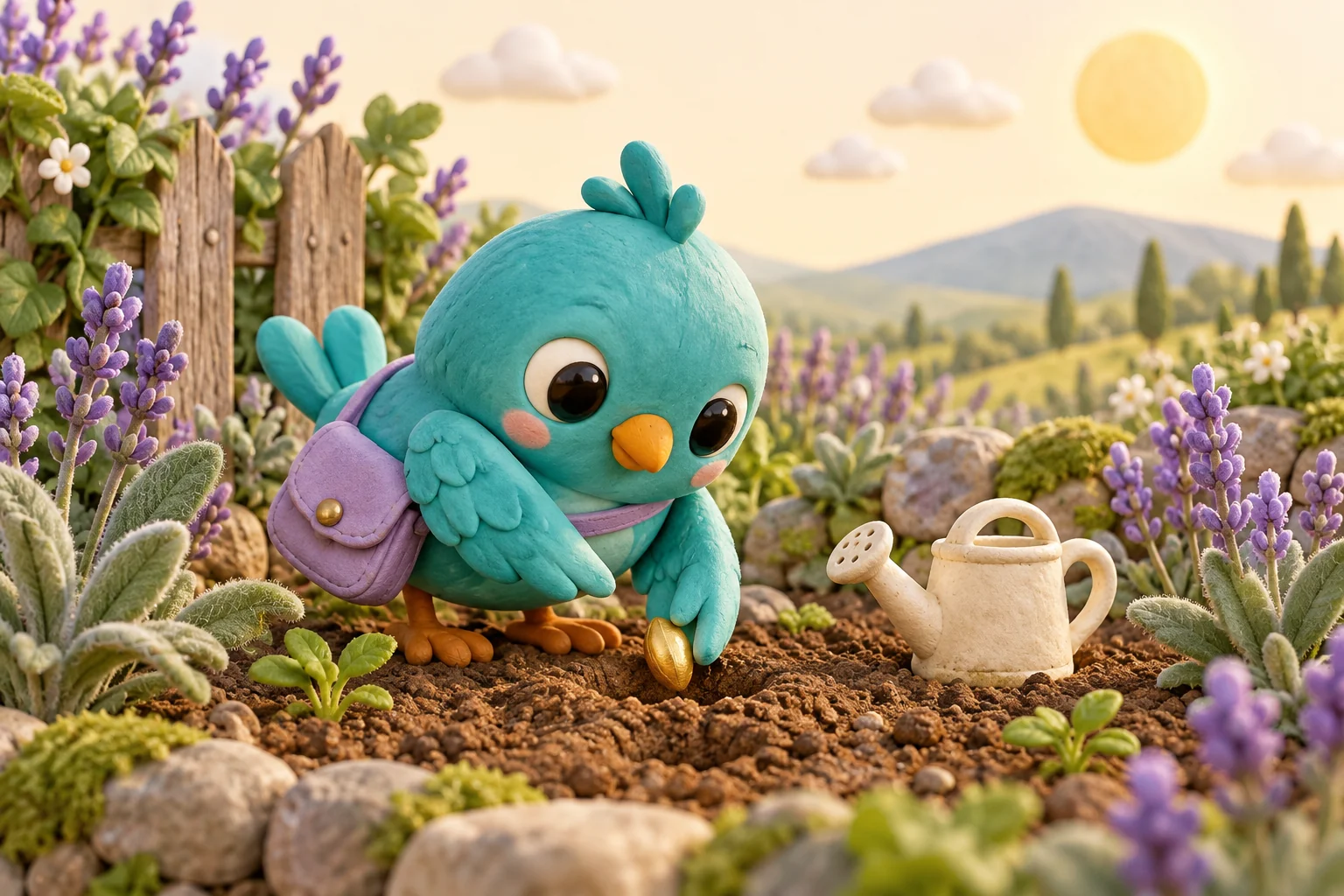
Start your original cartoon brief in MOVO by describing the character and what happens. A small bird planting a seed is a concrete scene. Ask for a deliberate visual direction and inspect the actual result instead of assuming a particular animation engine or style preset is available.
Give the Character a Recognizable Design
Record the character's shape, main colors and distinctive accessory. For an original turquoise bird, a round silhouette and lavender satchel can make the design readable at a small size. Keep the most important features simple enough to inspect during movement.
Choose a visual language such as soft clay texture, clean drawn shapes or a gentle storybook treatment. Describe the qualities you need rather than asking to duplicate a recognizable franchise character. Use your own references or material you can work with.
Keep the design notes consistent across scenes. If the character's size, accessory or color changes without a story reason, revise that part of the brief. More decorative detail is not always more useful than a stable, recognizable form.
Make One Action Easy to Follow
Build the scene around a visible change. The bird approaches a patch of soil, places a seed and pauses beside it. The action has a clear beginning and ending without requiring several locations or complicated dialogue in one shot.
Describe how the camera helps the viewer see the important movement. A steady medium view may communicate planting better than a fast orbit. Keep props large enough to read and avoid hiding the central action behind leaves or foreground decoration.
If the story needs several scenes, give each one a purpose. Establish the setting, show the main effort and end with a small payoff. Keep transitions clear so the viewer can connect the sequence without guessing what happened between shots.
Review Style and Continuity Together
Watch the complete generated clip at normal speed. Check that wings, feet, the satchel and small props remain coherent while the character moves. A pleasing still image does not prove that the animation preserves the same design across time.
Compare neighboring scenes for scale, lighting and the character's direction. If the garden or seed changes unexpectedly, decide whether to revise the shot or simplify the story. Focus changes on the specific problem rather than rewriting every creative choice at once.
Review the emotional meaning too. A friendly character should not appear distressed because of an unintended expression or sudden motion. Keep any narration and on-screen explanation consistent with what the action actually shows.
Finish the Cartoon for Its Audience
Use suitable editing controls for exact scene timing, readable titles and approved sound. A scene-planning request does not establish automatic lip synchronization, a particular voice catalog or frame-by-frame manual controls in MOVO.
Watch the saved video on the intended screen. Check the opening, important small actions and ending. If the cartoon explains a real process, verify the explanation independently rather than assuming a charming visual makes it accurate.
Keep the character notes, accepted references, scene briefs and final assets together. This makes another episode or alternate ending easier to plan consistently. The turquoise bird illustration is an original character concept, not a screenshot, a licensed franchise character or a benchmark from a named generation engine.
Frequently Asked Questions
Can I plan an original cartoon in the MOVO composer?
Yes. Describe the character, setting, visible action and intended visual direction, then review the actual supported workflow.
Does this page promise a named animation engine?
No. Check the options actually available in the product.
What makes a character easier to keep consistent?
A clear silhouette, main colors and a few important design details.
Should one shot contain the whole story?
Only if it stays readable; otherwise give separate scenes clear roles.
Are narration and lip synchronization automatically established here?
No. Verify those operations separately in a suitable production workflow.
Who is the turquoise bird?
It is an original fictional character created for this editorial illustration.