Begin With a Story the Viewer Can Follow
An AI movie maker can help develop visual material, but the film still needs a clear story. Decide who wants something, what stands in the way and what changes by the ending. Those choices give each scene a reason to exist.
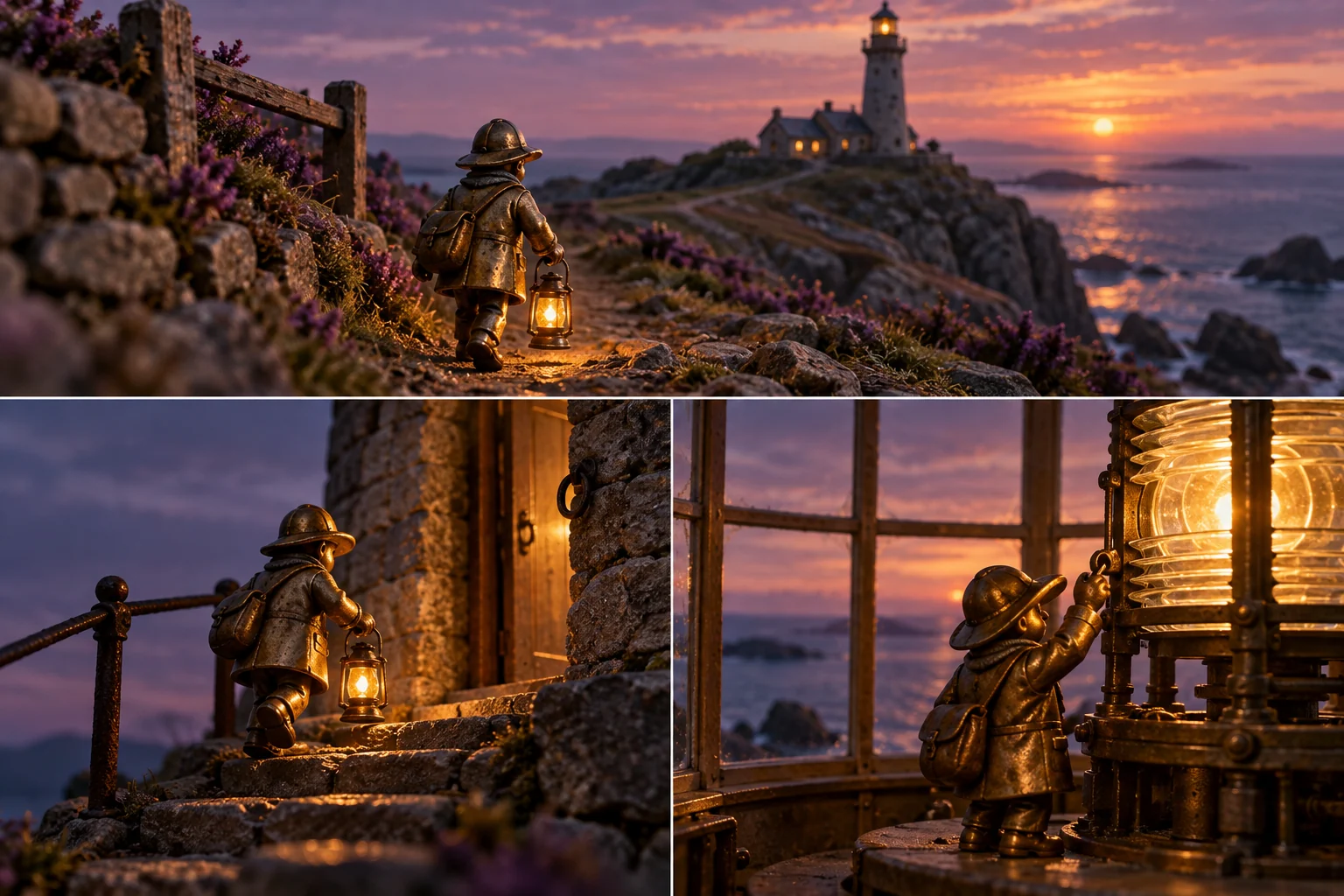
An original tiny brass lighthouse keeper carrying an amber lantern through dusk can provide a compact test. Establish why the light is needed, show the journey and complete the arrival at the tower. The idea is small enough to evaluate without a large unexplained world.
Use MOVO to develop the original story and scene direction. This page does not promise a feature-length one-click production, exact character preservation or automatic festival-ready delivery. Review the creative material and finishing stages deliberately.
Turn the Script Into Scene Purposes
Write what each scene adds: a goal, an obstacle, a reaction or a resolution. A script paragraph does not always need its own shot, and a single important action may need more than one view. Choose structure for comprehension.
Keep the lantern's role clear throughout the keeper's journey. A beautiful coast shot can establish location, but it should not replace the moment that explains the delivery. Avoid expanding the film with scenery that does not advance the story.
Review the order before producing many clips. A missing cause-and-effect beat is easier to fix in the plan than after every scene has been accepted for visual style.
Prepare Characters, Props and Visual Direction
Use original designs and appropriate approved references. Identify the keeper, lantern and tower details the audience needs to recognize. Keep incidental background variation separate from essential continuity requirements.
Choose a coherent light and palette for the film while allowing deliberate changes in place or time. Lavender dusk and amber lantern light can connect the sequence without making every frame identical. Explain the narrative reason for a strong visual shift.
Test a representative shot containing the important character, prop and action. A distant environment alone cannot prove that the keeper holds the lantern coherently or that the movement remains readable.
Inspect Motion and Continuity Before Expanding
Watch each candidate over its complete duration. Check identity, prop state, travel direction and the actual action. A strong opening still does not establish that the important object remains stable through the middle or ending.
Compare neighboring scenes in sequence. The lantern should not change hands without a reason or arrive before the keeper reaches the tower. Small gaps can become easier to notice between accepted shots than within an isolated clip.
Use targeted revisions when something fails. Keep the accepted design while simplifying an unclear action or reframing a difficult moment. More variations are useful only when they answer an unresolved production question.
Review External Movie-Maker Workflows Separately
Fliki's AI movie maker page describes its own script, style, voice and editing workflow. Review current model, account and output conditions directly. Its completion-time, licensing and finished-film wording is not a MOVO entitlement or a tested guarantee for this project.
Evaluate any automated script or media assembly as a draft. Check that it preserves the intended message and does not add unsupported dialogue or factual claims. A complete render still requires editorial acceptance.
The lighthouse-keeper images here are independently generated conceptual artwork. They are not frames from a competitor's film, evidence of measured model consistency or a completed movie benchmark.
Finish the Film as One Viewing Experience
Use MOVO for original scene briefs and review, then use suitable finishing controls for exact cuts, dialogue, captions and sound. Keep words and audio aligned with the accepted script, especially after a scene revision.
Watch the full saved film with sound and then without it. Check that the core action is visually understandable and that narration adds useful information. Inspect the complete ending and destination framing rather than stopping at the best-looking scene.
Retain the story brief, references, accepted clips and finishing assets. A short film becomes easier to refine when the approved creative decisions remain clear across versions and external tools.
Frequently Asked Questions
What should I define before making an AI movie?
A character, goal, obstacle and understandable ending, with scene purposes that support them.
Does this page promise a one-click feature film?
No. It describes deliberate original scene creation, review and finishing.
What is a useful representative test?
A shot combining the important character, prop and visible action.
Is character similarity enough for continuity?
No. Check prop state, movement, location, timing and transitions between scenes.
Are the keeper images a finished film benchmark?
No. They are original conceptual artwork for the story exercise.
Where should exact dialogue and cuts be finished?
Use suitable finishing controls and inspect the complete saved export.