Start an Anime Video With an Original Story
An AI anime video generator can help explore animated-looking scenes from a creative brief and supported references. A useful result begins with an original subject and a reason for the action, rather than a request for attractive frames alone.
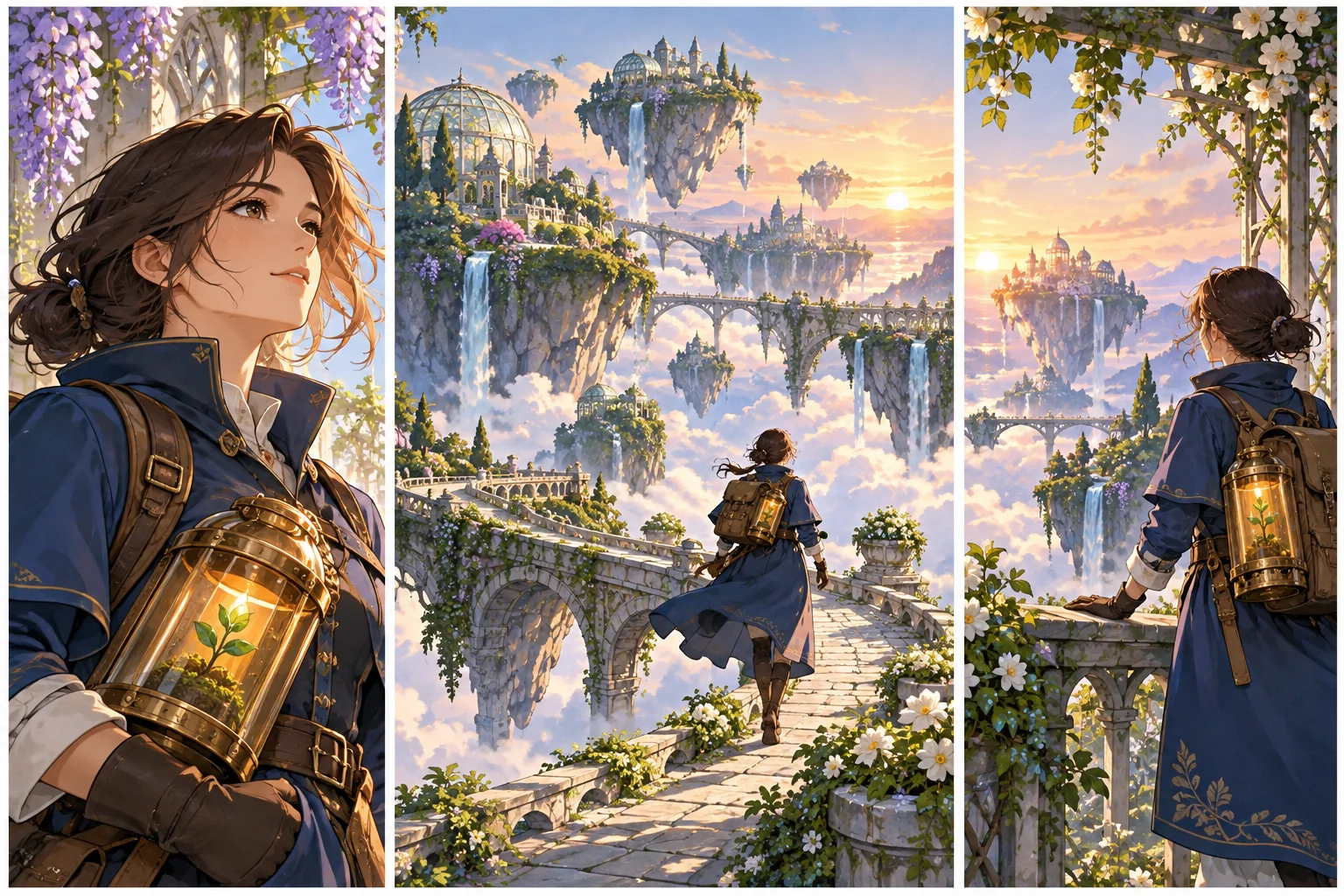
Choose a small story you can explain clearly. An adult botanical courier carrying a seed case across floating gardens has a goal, a recurring prop and a path through the world. Those choices give each scene a narrative job.
Use MOVO to develop the original story and visual direction. This page does not promise automatic feature-length anime, exact character preservation or every video-restyling capability advertised by another provider.
Define a Character the Viewer Can Recognize
Select a few stable design details: silhouette, wardrobe, palette and an important prop. For the original courier, a modest blue coat and amber seed case can carry identity across different backgrounds. Keep those details in the approved reference notes.
Separate identity from scene conditions. A change from dawn to indoor light may affect reflected color without requiring a new character design. Review whether an apparent change is intentional or an unwanted drift.
Use original or properly authorized references. Do not depend on another artist's recognizable character or film frame as a substitute for developing your own design. The production should stand on its own story and assets.
Write Focused Anime Scene Prompts
Describe one visible action, the setting and camera behavior. Add broad visual traits such as expressive linework, painted environments or restrained color contrast. Keep those choices connected to the scene's mood and purpose.
For example, the courier crosses a narrow garden bridge while holding the seed case close, with a stable medium-wide view and gentle leaves moving behind them. This gives you a readable action and specific continuity details to inspect.
Avoid combining several difficult actions into the first test. Resolve the main character and motion before adding crowds, dramatic camera changes or many interacting props. A controlled test teaches you more about the production direction.
Review Motion and Character Continuity
Watch the complete clip. Check face, hands, wardrobe and prop shape during movement rather than approving only the opening frame. A still image that looks consistent does not guarantee stable identity through a turn.
Compare later scenes with the same reference set. Keep track of deliberate changes in costume or location and distinguish them from accidental redesigns. Review the scene order so the viewer can follow the character's goal.
Use focused revisions when something fails. If the seed case changes shape, clarify that reference and action before replacing the whole visual concept. Retain useful outputs and record why a shot was rejected.
Choose Generation and Restyling Workflows Separately
Higgsfield's anime video page describes its own prompt, reference and footage workflows. Verify its live capabilities and terms there. Those functions are not a MOVO integration list.
Creating a new scene and restyling an existing clip are different tasks. The video-to-anime guide explains the dedicated transformation stage and its continuity limits.
The illustration here is original conceptual artwork, not an output benchmark for a named model or a frame copied from an existing anime. Use actual saved tests to evaluate a production tool.
Finish a Coherent Original Sequence
Give the opening, middle and ending distinct roles. Establish the courier's purpose, show the obstacle and complete the delivery. A new environment should advance that story rather than merely replace the background.
Finish exact dialogue, captions and audio timing with suitable controls. Generated image lettering should not be assumed to reproduce every word correctly. Review pronunciation and the relationship between speech and action.
Watch the complete exported video at its destination size. Confirm the story, character continuity and ending, then retain approved references and assets for any future scene or alternate version.
Frequently Asked Questions
Can MOVO help make an anime-inspired video?
Use an original story brief and approved references to develop scenes, then review the generated result.
Does one prompt guarantee a finished anime film?
No. A longer sequence needs story development, scene review and appropriate finishing work.
How can I keep an original character recognizable?
Use stable design notes and approved references, then inspect identity and important props throughout each clip.
Is generation the same as restyling existing footage?
No. They are separate workflows with different input and control requirements.
Are these illustrations copied anime frames?
No. They are original conceptual artwork for the page.
What should I test first?
A representative scene containing the important character, motion and visual direction before expanding the story.