What Is a Video to Anime Converter?
A video to anime converter aims to restyle existing footage into an animation-inspired appearance. It is distinct from creating a new scene from a written brief or animating an image reference. The chosen tool determines how much source movement and composition can be used.
Start by deciding what needs to remain stable: the action, framing, subject or general setting. A style change can also alter identity, textures and small details. Treat preservation as something to inspect, not an automatic promise.
The MOVO input here starts an original anime-inspired scene brief. It does not convert an uploaded video on this page or establish a built-in video-to-video transfer feature. Use a dedicated supported tool for that operation.
Prepare an Authorized Source Clip
Choose a clear source with a readable main action and enough subject visibility. Keep an unchanged original and a short representative test copy. Complicated motion and frequent occlusion make style and continuity review more difficult.
Use footage you own or are authorized to adapt. If people appear, confirm the intended transformation and sharing use. Avoid treating a public clip as automatically reusable just because a conversion service accepts the file.
Inspect the source crop, light and timing before restyling. Correct obvious editing problems where possible. A transformation can change the visual language, but it does not supply missing context or a more coherent sequence.
Define an Original Anime-Inspired Direction
Describe broad visual traits rather than asking to copy a particular artist or film frame. You might choose expressive linework, painted coastal backgrounds, a restrained pastel palette and soft afternoon light. Connect those traits to the story's mood.
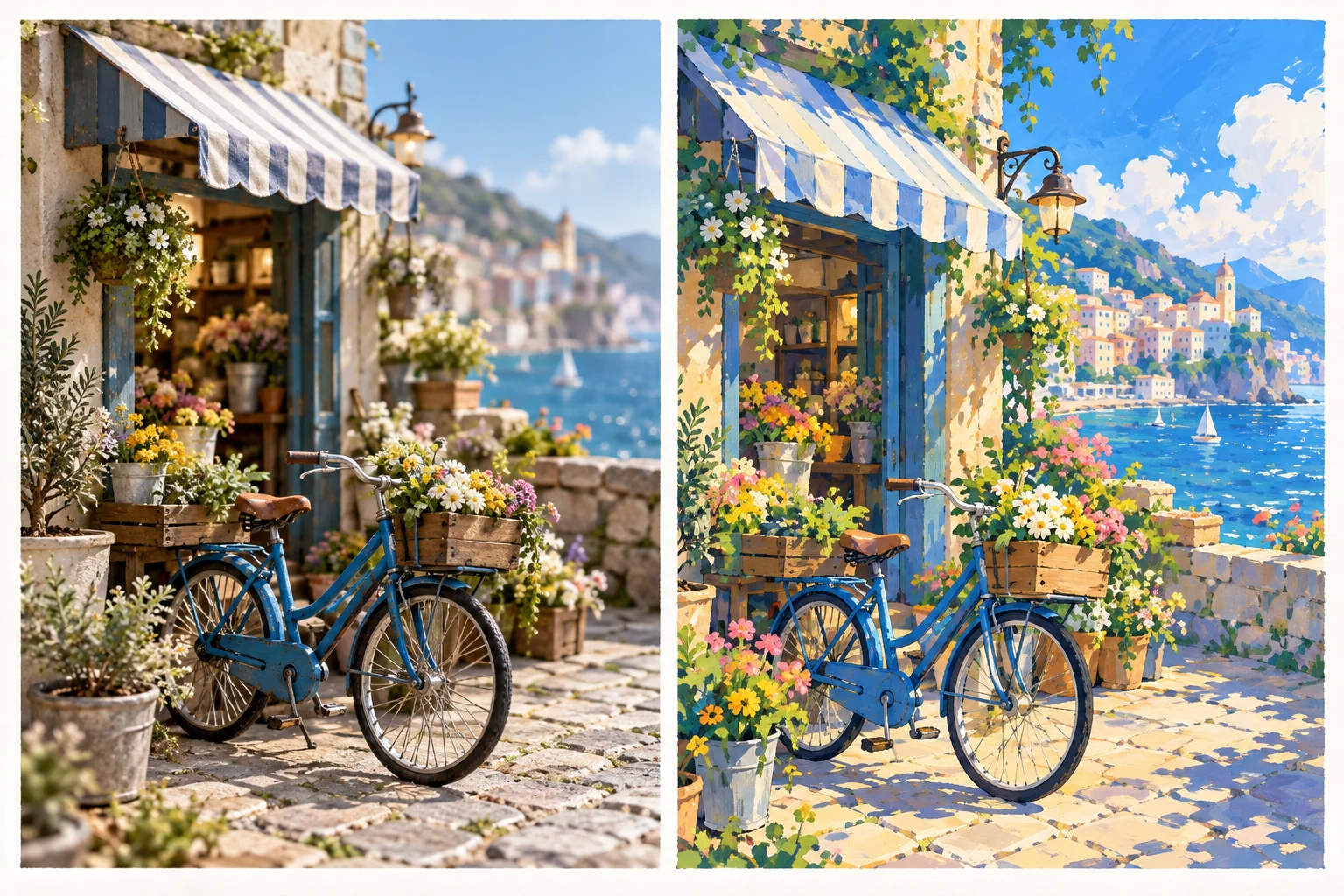
Create an approved reference for important original objects or characters. A blue delivery bicycle at a flower shop can anchor a simple scene while leaving room to explore line and color. Keep the defining shapes consistent as the treatment changes.
Separate appearance from motion. Decide whether the scene should preserve natural movement or use a more stylized rhythm. Explain the intended result and inspect whether the transformation actually follows that direction.
Review Temporal Consistency
Watch the complete clip for changing outlines, flickering textures and details that disappear during movement. An attractive first frame does not establish a coherent animation. Inspect the subject when it turns, crosses the frame or passes behind another object.
Check hands, faces and important props where they appear. If the project depends on a specific real object, compare it with the approved reference. A pleasing style can conceal an incorrect shape or marking.
Use focused revisions. If identity drifts, simplify the source or reference direction before adding more effects. Keep the accepted test and its settings so later scenes can be judged against the same standard.
Choose the Transformation Tool Separately
VEED's video-to-anime page describes its own restyling workflow. Review current input restrictions, model options and export terms directly. These are provider-specific capabilities, not MOVO promises.
The illustration here is an original conceptual style study. It was not produced by converting the left panel through a named tool, and it is not evidence of measured conversion quality. Use a real saved test for a production decision.
Check the output after downloading. A service preview may not reveal the final compression or crop. Retain the original source alongside the transformed copy for future revisions.
Develop New Anime-Inspired Video With MOVO
When the project needs new material, write a clear story brief in MOVO. Define the subject, goal, setting and visible action, then develop a representative scene before expanding the sequence. Use original design references where the workflow supports them.
Give every scene a purpose. An establishing view can introduce the flower shop, a closer action can show the delivery and an ending can resolve the small story. Shared palette and character notes help the review stay consistent.
Finish exact titles, captions and audio with suitable controls. Review the final sequence for continuity and meaning, then check the real destination playback rather than relying only on still previews.
Frequently Asked Questions
Does MOVO convert an existing clip to anime here?
No. This entry starts an original scene brief. Use a dedicated supported tool for existing-video style transfer.
Will the source identity remain exact?
No exact preservation is guaranteed. Inspect the complete transformed clip against approved references.
Can I use broad anime-inspired traits?
Define original linework, palette, lighting and motion choices that fit your own story.
Are the two illustration panels a converter benchmark?
No. They are an original conceptual style study, not a measured before-and-after result.
What is a useful first test?
A short clear action containing the subject and important continuity details from the actual project.
How do I create a longer original sequence?
Develop story beats and references in MOVO, approve a representative scene and review continuity before finishing.