Seedance Prompting Guide: From a Scene Brief to a Useful Revision

What a Useful Seedance Prompting Guide Should Help You Decide
A useful Seedance prompting guide should make the intended shot easier to communicate and the resulting video easier to evaluate. Begin with the scene's purpose rather than collecting adjectives. Decide what changes on screen and why the viewer needs to see it.
The Higgsfield Seedance 2.0 guide presents a provider-specific prompt library and emphasizes stating shot structure before scene detail. Use the external source for its own current workflow; this article does not copy its prompts, characters, examples or artwork.
The method below is an independent production exercise. It does not establish a current free offer, a best-performing format, a specific model entitlement or a Seedance integration in MOVO. Confirm the exact model and interface when checking which controls are available.
Write the Scene Purpose in One Sentence
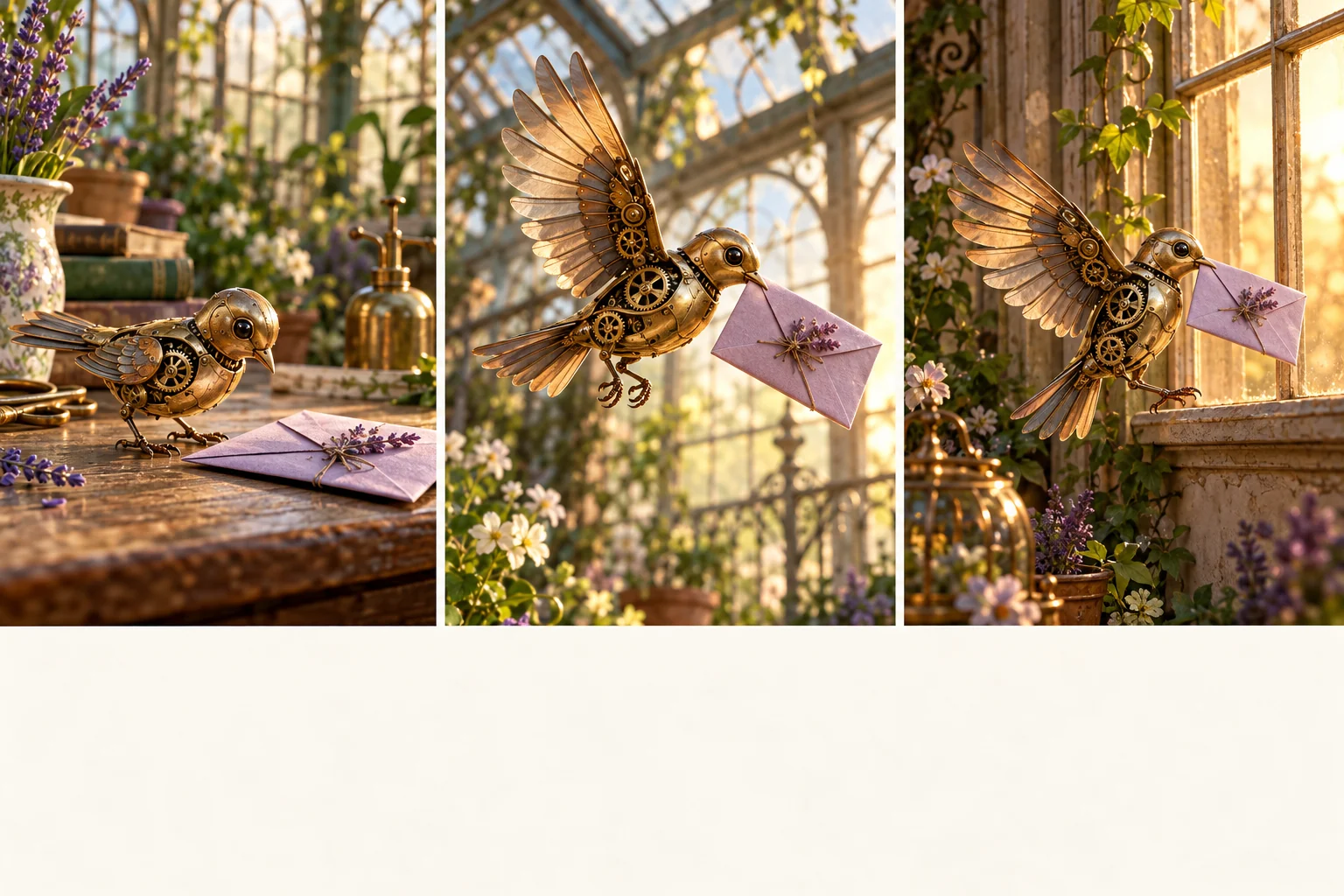
Choose a small action whose outcome is visible. Our original example follows a brass mechanical bird carrying a lavender folded letter from a greenhouse table to a window ledge. The viewer should understand the pickup, journey and arrival without needing the prompt beside the video.
That sentence creates useful acceptance criteria. The bird must interact with the letter, the letter must remain identifiable and the destination must be established. A beautiful greenhouse without the delivery action does not satisfy the brief.
Choose an uncomplicated first test. You can add a longer journey or a different ending after the central action works. Starting with a large multi-location story makes it harder to isolate whether the problem is subject continuity, motion or scene organization.
Give Each Reference a Clear Role
Identify what each approved reference contributes. One image may define the bird's brass construction, another the letter's color and shape, and another the greenhouse atmosphere. Avoid presenting several contradictory designs as if they all describe the same object.
Label reference roles in the form supported by the chosen interface. Do not assume a file name or arbitrary token creates a binding the tool does not document. Keep descriptions readable and use the provider's current attachment controls where available.
Retain a small set of accepted references. More images are not automatically more informative if they disagree about the subject or environment. Review the result against the important design relationships instead of expecting every incidental detail to be preserved perfectly.
Describe Visible Action Before Camera Flourishes
An original first-shot brief could read: a small brass mechanical bird stands beside a lavender folded letter on a greenhouse table, gently lifts the letter with its beak and opens its wings; medium framing, soft morning light and restrained background movement. The main action stays clear.
This is ordinary descriptive language, not a guaranteed Seedance command or a tested output claim. It gives the attempt a concrete action to pursue. If the interaction fails, revise that interaction before adding a spinning camera or dramatic weather change.
Write cause and effect in a sensible order. The bird should approach or reach the letter before carrying it. Contradictory instructions about a stationary subject and an immediate flight can make the intended sequence less clear even before generation begins.
Choose One Shot or a Planned Sequence
A continuous shot and a multi-shot sequence solve different communication problems. A single shot can keep a simple action easy to follow. Several shots can establish a location, show a close interaction and reveal an arrival when one view would be awkward.
For the bird example, a three-shot plan can introduce the letter, show the pickup and finish at the window. Write the purpose and visible action of each shot separately. Keep the subject, prop and lighting notes consistent where the story requires continuity.
Set duration, aspect ratio and other controls through the selected interface when supported. Treat requested timing in prose as a creative instruction that still needs review. Do not assume a numbered shot list guarantees frame-exact cuts or that all versions expose the same limits.
Review the Complete Motion Against the Brief
Watch normal playback before inspecting individual frames. Ask whether the bird really picks up the letter and whether the viewer can follow it to the destination. A pleasing final frame does not prove that the interaction in the middle succeeded.
Inspect difficult moments such as contact between beak and paper, the change from standing to flight and the landing. Check that the letter does not disappear or change into an unrelated object. Compare the accepted design across shots without claiming perfect identity preservation.
Keep notes about the exact issue. The letter appears too early, the handoff is unclear or the arrival happens outside the frame are useful observations. They give the next revision a concrete target instead of replacing the whole prompt with a longer collection of style words.
Revise One Important Decision at a Time
Retain a useful candidate and change the unresolved requirement deliberately. If the pickup is unclear, try a closer view or a simpler action while keeping the accepted setting and subject. Compare whether that change improves comprehension over the complete clip.
Record the model/version, references and settings available in the chosen workflow. If the interface or model changes, a previous result is context rather than a promise of identical reproduction. Keep the original accepted output alongside later attempts.
Do not use repeated generation as a substitute for editing decisions. A scene may need a cut, a shorter pause or a separate insert shot. Suitable finishing controls can resolve exact timing after the important creative action is accepted.
Use the Same Clarity in a MOVO Video Brief
Bring the subject, action, environment and story purpose into MOVO when developing original video. Use appropriate approved references and review a representative scene before expanding into more locations or variations. This carries the planning method across stages without claiming a particular external model is available.
Keep exact titles, captions and sound timing under suitable finishing controls. For the bird story, add any precise address or message after scene approval rather than depending on generated lettering on the folded paper.
The storyboard artwork here is original conceptual imagery, not a measured Seedance output or a reused provider sample. Inspect the final saved sequence for continuity, readable action and a complete ending, and retain the approved brief and assets for future revisions.
Frequently Asked Questions
Are these prompts copied from the Higgsfield library?
No. The mechanical-bird example and production method are independently authored; the external article is linked for its own workflow context.
Does MOVO provide Seedance access through this guide?
No model-specific MOVO access or integration is established here.
Should I start with one shot or several?
Choose the structure that makes the action clear. Test the important interaction before expanding the sequence.
What should a reference contribute?
A clear role such as subject design, prop appearance or setting, without contradictory instructions.
Does a shot list guarantee exact timing?
No. Use supported interface controls and review the complete output; exact finishing may require editing.
What makes a useful revision?
An observed problem, one targeted change and a comparison against the accepted requirements.