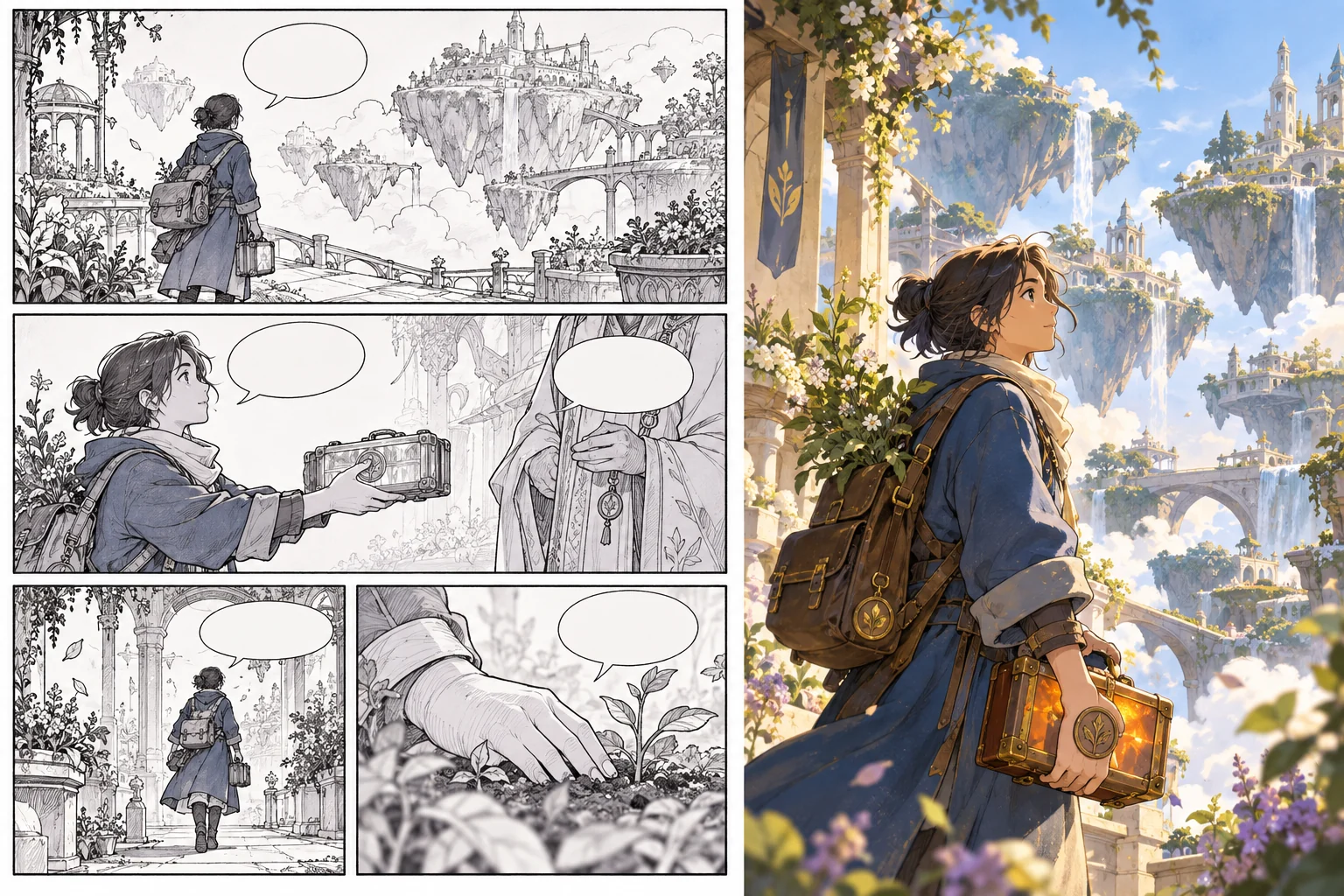
How to Turn a Manga or Comic Into an Animated Video With AI

Choose a Short Authorized Comic Sequence
To turn a manga or comic into an animated video with AI, start with a small sequence whose story you understand. Use your own work or material you are authorized to adapt. Keep the source pages and relevant permissions with the project.
Choose a passage with a readable beginning, action and ending. A few panels can be enough to test the workflow. Beginning with an entire book makes it harder to identify whether problems come from story structure, character design or motion.
This tutorial uses an independent original example: an adult botanical courier in a blue coat carries an amber seed case through floating gardens. It does not reproduce a published manga, copy competitor images or promise automatic whole-book conversion.
Map Reading Order and Panel Purpose
Write the intended reading order explicitly. Manga and comics can use different page directions, and a dramatic layout may ask the reader to move between large and small panels. Do not assume the video sequence can infer those decisions from a page image alone.
For each panel, note what it adds: a location, a character reaction, a movement or a new piece of information. That purpose is more useful than a plan to animate every visible line. Some panels may become one shot, while others may need several moments.
Keep the original cause-and-effect relationship clear. In the courier example, the opening establishes the seed case, the middle shows a bridge obstacle and the ending completes the delivery. A beautiful location change should not erase why the character is traveling.
Translate Panels Into a Shot Plan
A still panel leaves timing to the reader. A video must decide how long an action takes and what happens between the selected moments. Write the visible action, camera behavior and useful beginning and ending of each shot.
Do not add movement everywhere by default. A held composition with a small environmental change can preserve a quiet story beat. A key action may need a clearer view than the original panel provides, especially on a phone.
Keep the plan manageable. The courier lifts the case, checks the bridge and crosses carefully: these are separate actions that can be tested. Combining a camera orbit, a jump, a costume change and a location transition in one first attempt makes review less informative.
Prepare Character, Prop and Setting References
Create an approved reference set with a clear role for each asset. The courier reference defines the blue coat and silhouette; the seed-case reference defines the prop; the garden reference establishes palette and environment. Use original or appropriately licensed material.
Check that the references agree before generating scenes. If the coat or case changes between source panels, decide whether that is intentional. A consistent source direction helps you distinguish an editorial choice from unwanted generation drift.
Keep exact speech and captions in a separate approved script. You can use the source bubbles to understand the story, but do not rely on a moving generated image to reproduce their lettering accurately. Add necessary words through suitable text controls.
Write One Representative Motion Brief
Choose a shot that tests the important production question. For this story, a view of the courier crossing the bridge while holding the case tests character identity, prop continuity and action at the same time. A landscape alone does not answer those questions.
An original brief might say: the adult botanical courier in the approved blue coat walks carefully across a narrow floating-garden bridge, holding the amber seed case close; restrained medium-wide composition, gentle foliage movement and stable dawn light. Keep the main action readable.
Use the approved reference roles in MOVO and inspect the complete clip. Exact identity or prop preservation is not guaranteed. Review the motion itself rather than treating a strong first frame as evidence that the shot is ready.
Expand the Sequence From Approved Tests
Once the representative direction works, develop the remaining scenes around the same design notes. Give each shot a story purpose and retain the useful reference language. Change the location or action deliberately without redesigning the character unnecessarily.
Review transitions in sequence. Check travel direction, hand positions, prop state and the implied time between shots. A continuity issue can be easier to see between two accepted clips than inside either clip alone.
Keep a small record of why a shot was accepted or rejected. Targeted revisions preserve useful work and help later attempts answer a specific unresolved question. Do not expand the production simply because additional variations can be generated.
Finish Dialogue, Sound and Exact Timing
Decide whether the adaptation needs narration, dialogue, on-screen text or a largely visual treatment. Keep the words accurate to the approved adaptation and use authorized audio. A comic bubble may need rewriting for natural listening rather than a literal spoken reading.
Use appropriate finishing controls for exact cuts, caption placement and sound alignment. Do not assume the generated clip automatically supplies accurate lip synchronization or the complete audio performance the story needs.
Watch the full sequence with sound and then without it. Check that the images carry the main action and that speech adds useful context. If the script changes, update captions and dependent timing rather than mixing different drafts.
Review the Adaptation as Its Own Video
Show the finished sequence to a viewer who has not read the source comic where practical. Ask what happened, what the character wanted and how the ending resolved the action. That reveals gaps hidden by your own knowledge of the panels.
Inspect the saved export at its destination size. Check character and prop continuity, readable text, sound and the complete ending. A correct editing preview is not the same as a reviewed final file.
Retain source panels, approved references, motion briefs and finishing assets. The adaptation is a new viewing experience with its own timing decisions, while the original comic remains the story source you can return to for future revisions.
Frequently Asked Questions
Can I adapt any manga page I find online?
Use your own work or material you are authorized to adapt. Public viewing access does not establish adaptation permission.
Does this workflow automatically import an entire comic book?
No. The tutorial describes deliberate story, reference and scene planning rather than automatic whole-book conversion.
Should every panel become a separate moving shot?
No. Map each panel’s story purpose and choose the video structure that communicates it clearly.
How do I handle speech bubbles?
Keep exact words in an approved script and add dialogue or captions with suitable controls rather than relying on generated lettering.
What should I test first in MOVO?
A representative shot containing the important character, prop and action, reviewed over the complete clip.
Will character details remain exact?
Exact preservation is not guaranteed. Use approved references and inspect identity and props throughout the sequence.