Use AI Braids as a Visual Concept
AI braids workflows can help explore how a braided hairstyle might appear in an image. Define the style, length and intended view before comparing previews. A generated picture is a visual concept, not a precise prediction of a real salon result.
The VEED braids page describes editing a photo with hairstyle instructions and reviewing different views. That dedicated photo operation does not establish an equivalent braid filter inside MOVO.
Use MOVO to develop an original character scene after the look is chosen. Keep the hairstyle reference and important appearance details with the video brief. Do not assume an image preview automatically guarantees stable hair detail during motion.
Describe the Hairstyle Clearly
State the kind of braided look you want to explore and the visible details that matter. Length, parting, overall volume and the way the hair frames the face are more useful than a broad request for a stylish change.
Keep the person's identity and the hairstyle task separate. Use a photograph appropriate for the intended edit and confirm permission when working with someone else's likeness. Avoid changing unrelated facial or body details when evaluating the hair concept.
Use clear references and consistent lighting for comparison. If one preview also changes the pose, makeup and background, it becomes harder to judge the hairstyle itself. Compare the specific visual decision rather than selecting a result only because its overall portrait is flattering.
Inspect Several Views Without Assuming Hidden Accuracy
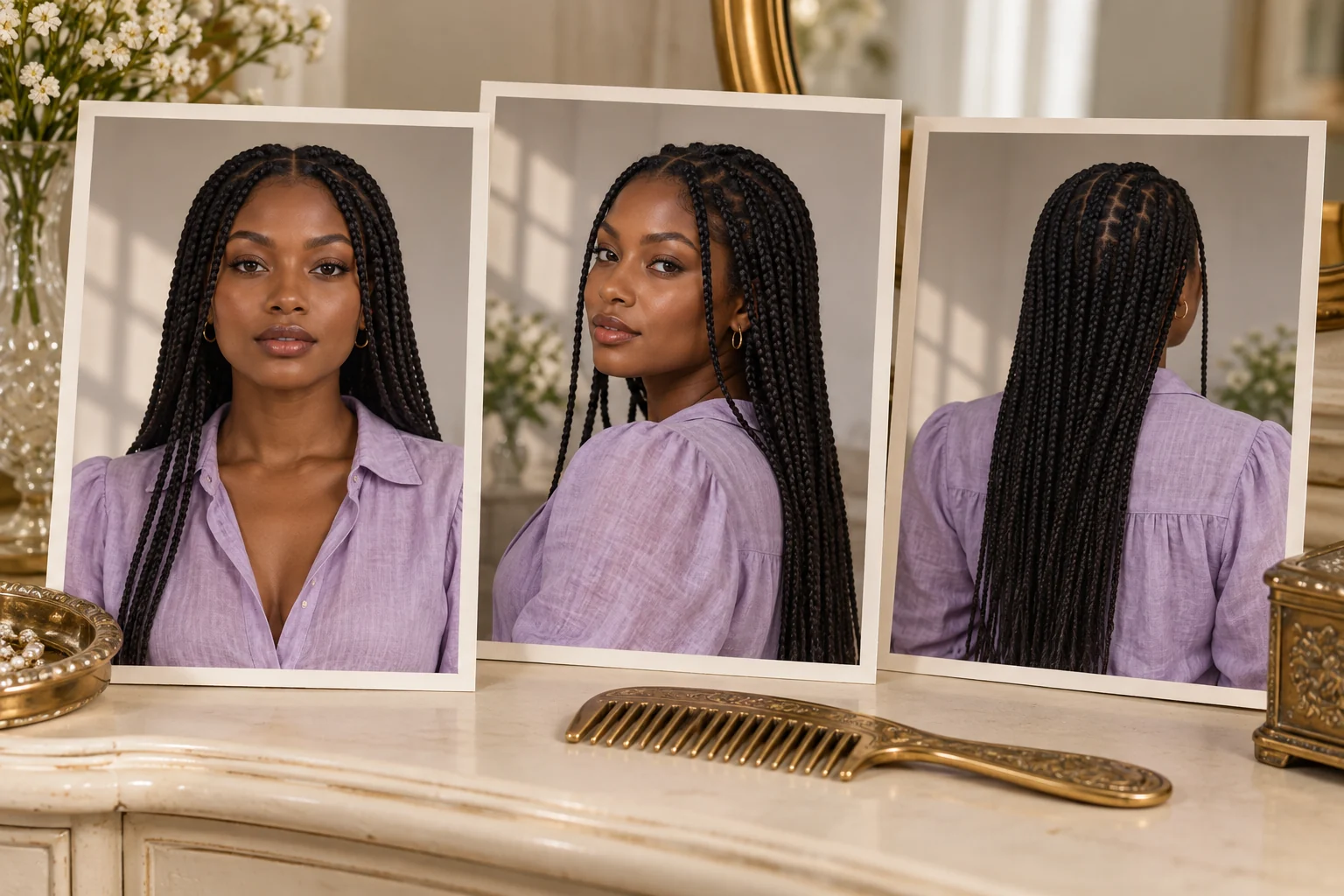
A front view can show face framing while a back view helps explain length and overall arrangement. Check whether the generated views describe the same coherent hairstyle. Look for changing parting patterns, disappearing strands and inconsistent braid thickness.
Treat newly generated angles as additional interpretations. They do not reveal a hidden, verified view of the original photograph. If the concept is for a real appointment, discuss practical details with a stylist using the reference as a starting point.
Review the cultural context and appropriate terminology for the style you choose. A hairstyle concept should be described thoughtfully and specifically rather than reducing every braided look to one interchangeable visual effect.
Carry the Approved Look Into a Character Brief
For original video planning in MOVO, describe the chosen braid length, main arrangement and how the hair should move during the action. Keep the outfit and setting aligned with the intended character rather than adding several contradictory references.
Choose a simple movement for the first test, such as a gentle turn in soft light. Watch the whole result for stable hair shape and believable contact with the shoulders. A successful still reference does not establish exact strand preservation in a video.
If the hair becomes unstable, simplify the action or revise the framing. Do not hide a continuity problem behind rapid cuts before checking whether the scene can be made clearer. Keep the actual result as the basis for acceptance.
Review the Finished Character Scene
Check the accepted scene alongside neighboring shots for consistent hairstyle, outfit and scale. Finish exact titles, narration and sequence timing in suitable tools. A scene brief does not establish a talking-head or lip-sync feature.
Watch the saved video at the intended display size and confirm that the character remains recognizable through movement. Keep the approved concept, source references and final assets together so later versions use the same visual direction.
The braided portraits on this page depict an original fictional adult. They are conceptual artwork, not a real person's before-and-after, a salon outcome or proof that MOVO has applied a hairstyle filter.
Frequently Asked Questions
Does this MOVO page apply a braids filter to a photo?
No. Use a dedicated hairstyle tool; the composer starts an original character-video brief.
Does an AI preview predict an exact salon result?
No. Treat it as a concept and discuss practical details with an appropriate stylist.
What should I specify about the look?
The intended style, length, parting, volume and important reference details.
Do generated back views reveal the original photo’s hidden hair?
No. They are generated interpretations that need consistency review.
What should I check during video motion?
Stable hair shape, contact with shoulders and continuity of the intended look.
Are the portraits a real before-and-after?
No. They show one original fictional adult in conceptual artwork.