Best AI Animation Generators to Try

AI animation is no longer limited to making a still image move.
Today, creators can use animation AI to transform text, images, scripts, references, and creative ideas into animated videos. But different tools are designed for very different workflows. Some generate short clips. Some specialize in business animation. Others are better for cinematic shots, social content, or complete long-form stories. So which AI animation generator should you try?
Here are six options worth considering.
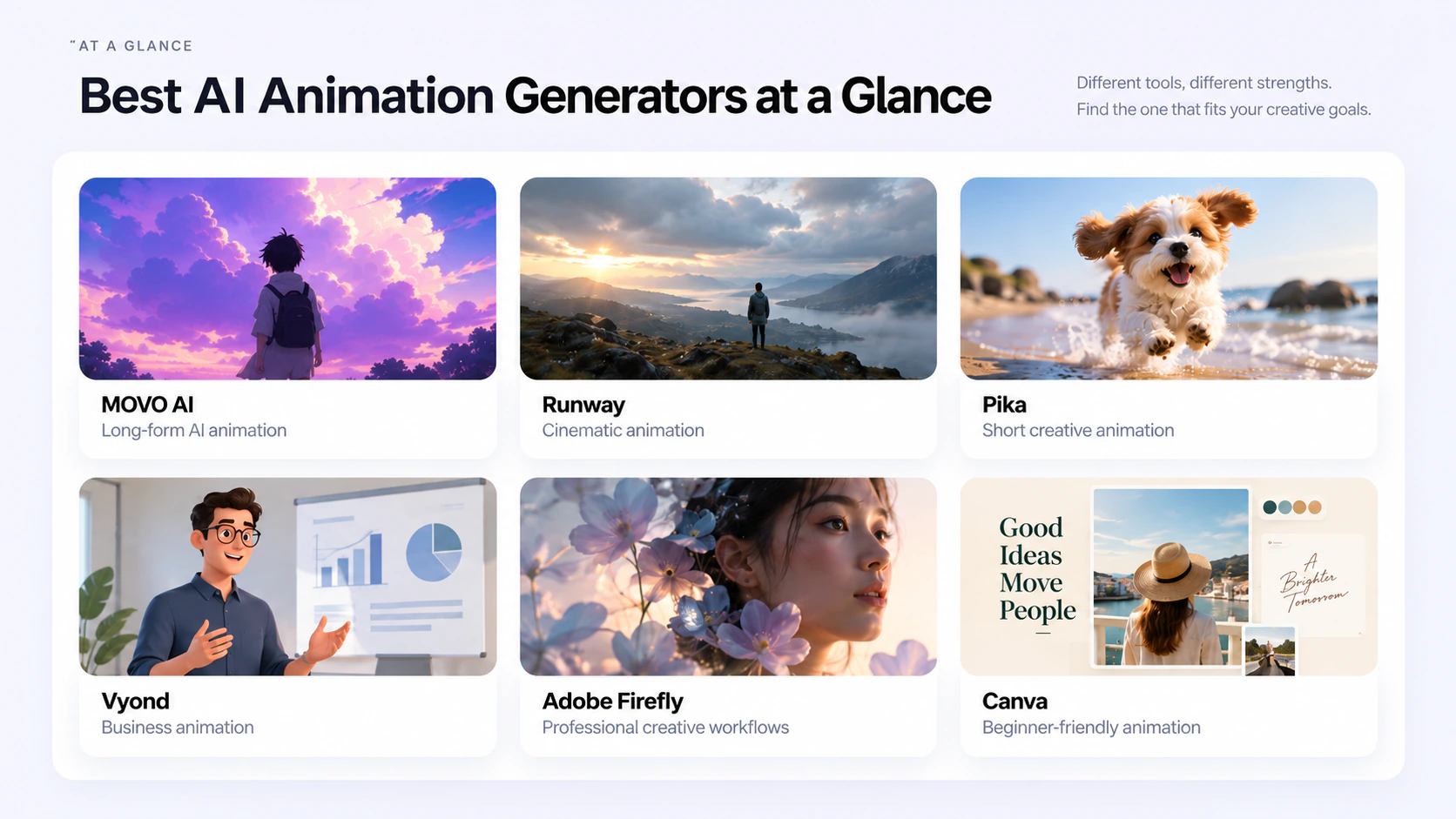
Best AI Animation Generators at a Glance
| AI Animation Generator | Best For | Key Strength |
|---|---|---|
| MOVO AI | Long-form AI animation | Complete conversational video workflow |
| Runway | Cinematic animation | Detailed motion and shot control |
| Pika | Short creative animation | Fast visual effects and social content |
| Vyond | Business animation | Explainers and character-based videos |
| Adobe Firefly | Professional creative workflows | AI creation inside a broader design workflow |
| Canva | Beginners | Simple and accessible animation creation |
1. MOVO AI Video Agent
Best for Long-Form AI Animation
MOVO AI Video Agent is designed for creators who want to move beyond generating isolated animation clips. It is an AI video agent built for long-form creation, allowing you to start with an:
- Idea
- Script
- Reference
- Asset
MOVO AI Video Agent then helps turn that starting point into a complete video through one conversational workflow.
Instead of requiring creators to manage separate prompts, canvases, and generation tools throughout the process, MOVO AI Video Agent can understand the creative direction, plan the story, generate scenes and shots, support review and refinement, and bring the final video together.
This makes it particularly useful when you want to create animation with AI across multiple connected scenes.
Complete Long-Form Video Production
One of the main differences between creating a short AI animation and producing a complete animated story is the amount of coordination involved.
A longer video needs more than individual good-looking clips.
It also needs:
- A clear story structure
- Connected scenes
- Consistent characters
- Stable environments
- Coherent visual styles
- Logical pacing
- Smooth progression between shots
MOVO AI Video Agent is built around this long-form creation workflow.
Instead of leaving creators to manually connect every generation, MOVO AI Video Agent helps manage the process from the original creative direction to the finished video.
Its long-form workflow can also support 120s+ narratives, making duration a capability within a broader production system rather than the only reason to use the tool.
Create Through Conversation
Another important difference is how creators interact with MOVO AI.
You do not need to constantly switch between separate prompts and canvases.
You can communicate changes through natural conversation.
For example:
“Make the opening more mysterious.”
“Keep the same character but move the next scene indoors.”
“Slow down the pacing.”
“Make the final scene more emotional.”
“Add one more shot before the ending.”
MOVO AI keeps working within the same creative direction while supporting review and refinement.
This means creators can spend less time managing individual tools and more time directing the result.
Maintain Character and Scene Consistency
Consistency is one of the biggest challenges when using AI for animation.
Characters can change between shots.
Costumes may look different.
Locations can suddenly shift.
Products or objects may lose important details.
MOVO AI helps maintain characters, scenes, products, and visual styles within the same project.
That becomes especially valuable when creating:
- Long-form animated videos
- Narrative stories
- Short films
- Character-driven videos
- Video series
- Branded storytelling
For creators searching for the best AI for animation beyond individual clips, this long-form and consistency-focused workflow is one of MOVO AI's biggest advantages.
Best For
MOVO AI is best suited for:
- Long-form AI animation
- Animated storytelling
- Narrative videos
- Multi-scene animation
- Short films
- Character-driven content
- Video series
- Branded stories
Choose MOVO AI if you want AI to help manage the complete creative workflow rather than only generating separate animated clips.
2. Runway
Best for Cinematic AI Animation
Runway is a popular AI animation tool for creators who want cinematic visuals and detailed control over individual shots.
It supports workflows such as text-to-video and image-to-video, allowing creators to generate movement directly from an idea or visual reference.
Runway is particularly useful when you want to control elements such as:
- Camera movement
- Character motion
- Scene composition
- Lighting
- Atmosphere
- Visual style
For example, instead of simply asking AI to animate an image, you can describe how the camera should move and how the environment should respond.
This makes Runway useful for filmmakers, visual artists, and creators who prefer working shot by shot.
Best For
Runway works especially well for:
- Cinematic AI animation
- Visual concepts
- Short films
- Image-to-video
- VFX experiments
- Individual animated shots
Choose Runway if detailed cinematic generation is more important than having one workflow manage the entire long-form production.
3. Pika
Best for Short Creative AI Animations
Pika is an AI animation creator designed for fast and visually engaging video generation.
It works particularly well for short-form content and creative experimentation.
Creators can use Pika to:
- Generate animation from text
- Animate still images
- Apply creative effects
- Transform existing visuals
- Modify elements inside scenes
- Experiment with unusual movement
This makes Pika a useful option for anyone learning how to make AI animations without needing a complex production process.
For example, you can upload a static image, describe how the character or environment should move, and turn it into a short animated sequence.
Best For
Pika is suitable for:
- Social media animation
- Short AI videos
- Creative effects
- Memes
- Image animation
- Experimental content
Choose Pika if you want to quickly make animations with AI and short-form creativity is your main priority.
4. Vyond
Best AI Animation Maker for Business Videos
Vyond takes a different approach from cinematic AI video generators.
It focuses on structured, editable animation for professional communication.
Creators and businesses commonly use this type of animation maker AI for:
- Explainer videos
- Training videos
- Educational content
- Presentations
- Internal communication
- Sales videos
Rather than focusing primarily on realistic cinematic footage, Vyond is useful for character-based and structured storytelling.
This makes it particularly practical for businesses that need animation to communicate information clearly.
For example, a company could turn a training concept into an animated onboarding video without manually designing every scene.
Best For
Vyond is best suited for:
- Business animation
- Training
- Educational videos
- Explainers
- Character animation
- Corporate content
Choose Vyond if structured business communication matters more than cinematic AI animation.
5. Adobe Firefly
Best for Professional Creative Workflows
Adobe Firefly is an AI-powered animation tool suited to creators who already work with professional visual content.
It can help turn text, images, illustrations, product visuals, and creative concepts into moving video.
Creators may use AI animation for:
- Concept art
- Product visuals
- Illustrations
- Motion graphics
- Marketing content
- Cinematic scenes
- Creative B-roll
The biggest advantage for professional creators is that AI generation can become one stage within a broader creative workflow.
Instead of treating the generated animation as a finished result, designers can continue developing the content alongside editing and other production tasks.
Best For
Adobe Firefly works well for:
- Designers
- Creative professionals
- Marketing teams
- Product visuals
- Motion content
- Professional video workflows
Choose Adobe Firefly if AI animation needs to fit naturally into an existing professional creative process.
6. Canva
Best Free AI Animation Generator for Beginners
Canva is one of the easiest places to start if you want to experiment with free AI animation.
Its familiar visual editor makes animation accessible to people who do not have experience with professional animation software.
Creators can use Canva to:
- Animate text
- Animate graphics
- Add transitions
- Create motion effects
- Build animated social posts
- Create presentations
- Edit short videos
The main advantage is simplicity.
You do not need to understand advanced animation timelines or complicated production workflows to start creating.
Best For
Canva is useful for:
- Beginners
- Social media managers
- Students
- Marketers
- Presentations
- Simple animated content
If you are looking for a best free AI animation generator that is easy to learn, Canva is one of the most accessible choices.
Which AI Animation Generator Should You Choose?
The best AI for animation depends on what you are trying to make.
Choose MOVO AI Video Agent if you want to create a complete long-form animated video through one conversational workflow, from understanding the direction and planning the story to generating scenes, refining results, and bringing the final video together.
Choose Runway if cinematic generation and detailed shot control are your priorities.
Choose Pika if you want short, creative, social-first animations.
Choose Vyond if you need structured business or educational animation.
Choose Adobe Firefly if AI animation is part of a broader professional creative workflow.
Choose Canva if simplicity and beginner-friendly creation matter most.
The key question is not only:
“What is the best AI animation generator?”
It is also:
How much of the animation workflow do you want AI to handle?
A traditional generator may help create individual clips.
A more complete AI video workflow can help understand your direction, plan the story, generate scenes, refine results, and turn them into one finished video.
What is the difference between MOVO AI and Other AI Video Tools?
Most AI video generators and agents still leave creators juggling prompts and canvases just to produce videos that stay visually consistent. MOVO AI takes on the long-form creation workflow itself, from understanding your direction and planning the video to generating scenes, refining results, and bringing the final video together. You spend less time managing tools and more time directing the result.
How to Create an Animation With AI
You do not need traditional frame-by-frame animation skills to begin experimenting with AI animation.
Most workflows start with a few basic steps.
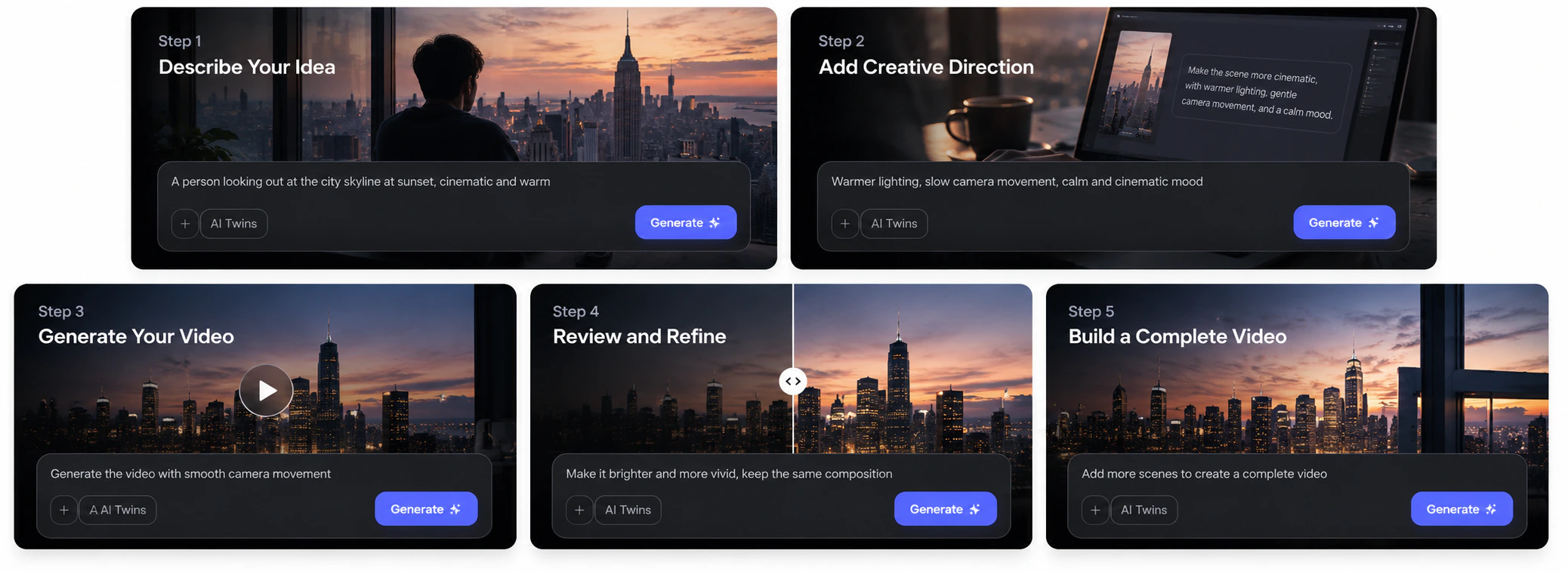
1. Define Your Idea
Start by deciding what you want to create.
For example:
“Create an animated story about a small robot exploring an abandoned city.”
You can also describe:
- Character
- Location
- Visual style
- Mood
- Story
- Camera direction
- Pacing
The clearer the creative direction, the easier it is for the AI animation generator to understand your goal.
2. Add References or Assets
Depending on the tool, you can provide materials such as:
- Character images
- Style references
- Existing videos
- Illustrations
- Product assets
- Scripts
These references give the AI animator more context about what you want to create.
3. Generate the Animation
The AI interprets the input and begins creating the visual result.
With clip-based tools, this may mean generating one short shot at a time.
With a long-form workflow such as MOVO AI Video Agent, the system can also work across the larger story and its connected scenes.
4. Review and Refine
The first generation does not have to be the final result.
Review elements such as:
- Character appearance
- Movement
- Scene design
- Camera motion
- Story pacing
- Visual consistency
Then refine the animation until it better matches your creative direction.
5. Bring the Scenes Together
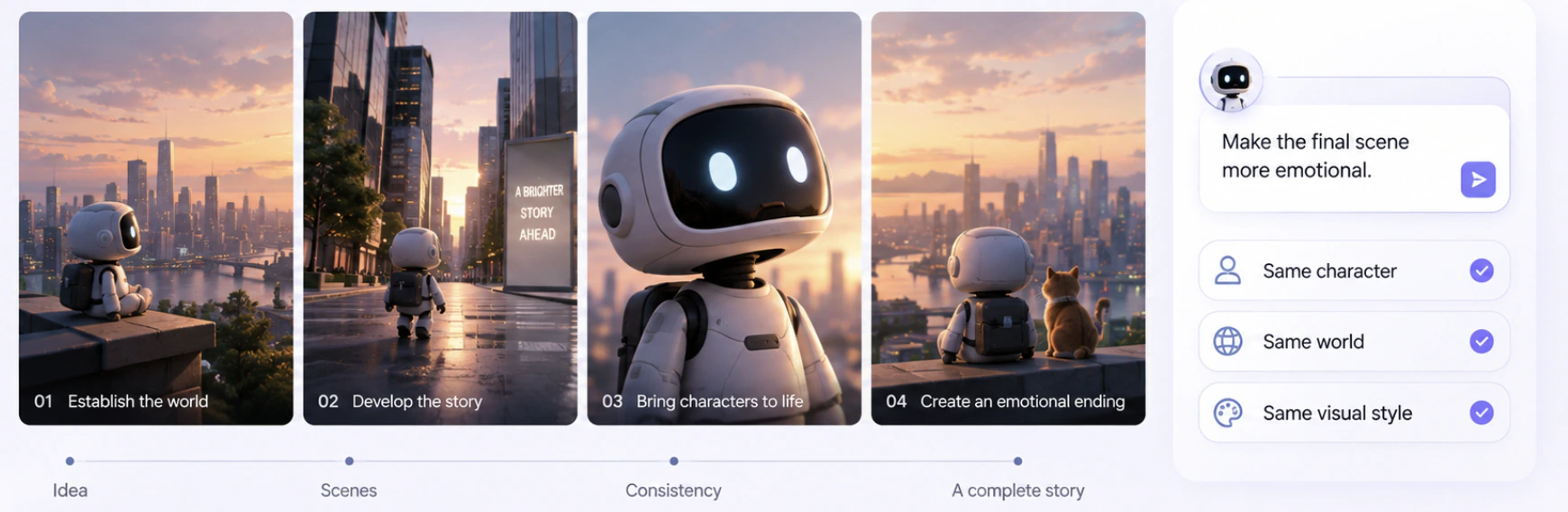
For long-form animation, the final challenge is not simply generating more clips.
The scenes also need to work together.
A complete animation requires continuity across:
- Characters
- Locations
- Visual style
- Story structure
- Pacing
- Shots
This is why the workflow behind an AI animation generator can matter just as much as the quality of an individual generation.
How to Make AI Animations With MOVO AI Video Agent
MOVO AI Video Agent turns your creative direction into a complete video through a conversational, agent-led workflow. Learn how to make it with MOVO AI.
Step 1: Create a Project and Set Up Your Workflow
Start by signing in and creating a new Project.
Before describing your animation, choose the model configuration and operating mode that fit your production needs.
A Project keeps your creative direction, generated assets, and video workflow organized in one place.
Step 2: Describe and Develop Your Animation
Tell MOVO AI Video Agent what you want to create in natural language.
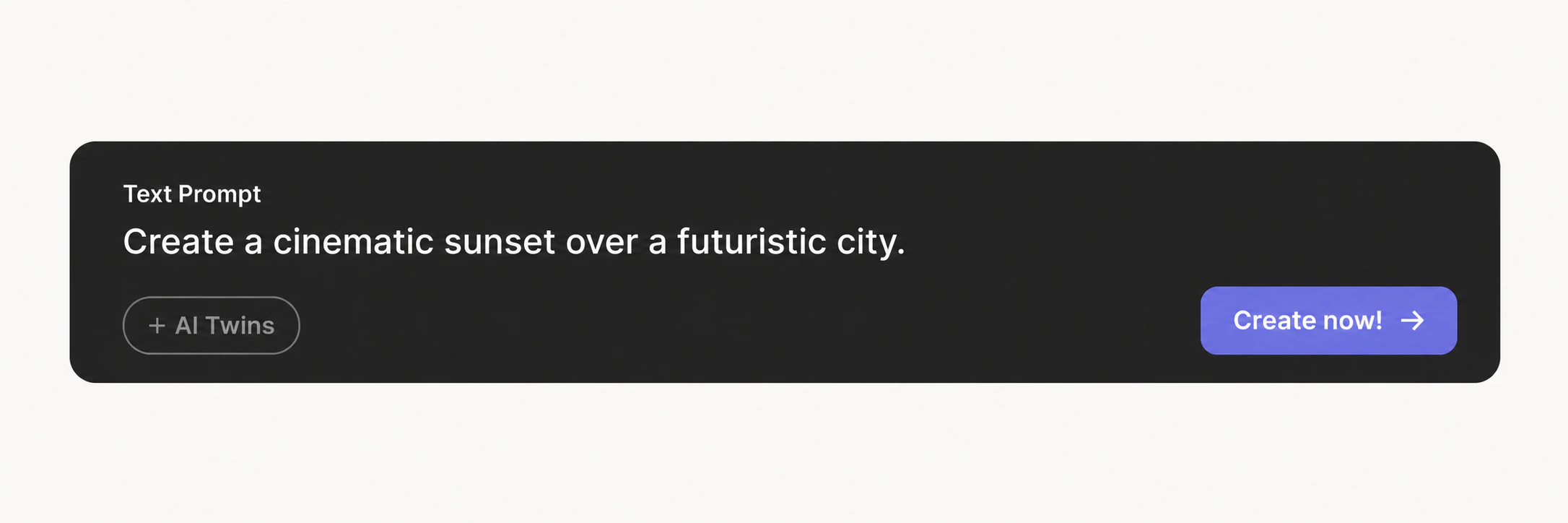
For example:
“Create a cinematic animated story about a lonely robot exploring a futuristic city at sunset. Keep the same robot throughout the story and use a warm, emotional visual style.”
You can also upload reference materials such as images, videos, documents, or audio to guide the animation’s characters, visual style, pacing, and sound.
MOVO AI Video Agent then proposes a creation direction, including the content type, narrative goal, visual style, structure, format, and use of your references.
Review and refine this direction before moving forward.
Step 3: Review the Script and Creative Assets
Once the creative direction is approved, MOVO AI Video Agent turns it into a structured video script covering scenes, pacing, dialogue, and the characters or objects required for the story.
Before final shot rendering begins, MOVO AI Video Agent also prepares the visual and audio references for your animation, including:
- Characters
- Key objects
- Scenes and environments
- Voices and narration
- Music and background audio
Review these assets carefully before confirming them.
Once approved, they become the consistent references used across later shots, helping characters, environments, objects, and sound remain connected throughout the animation.
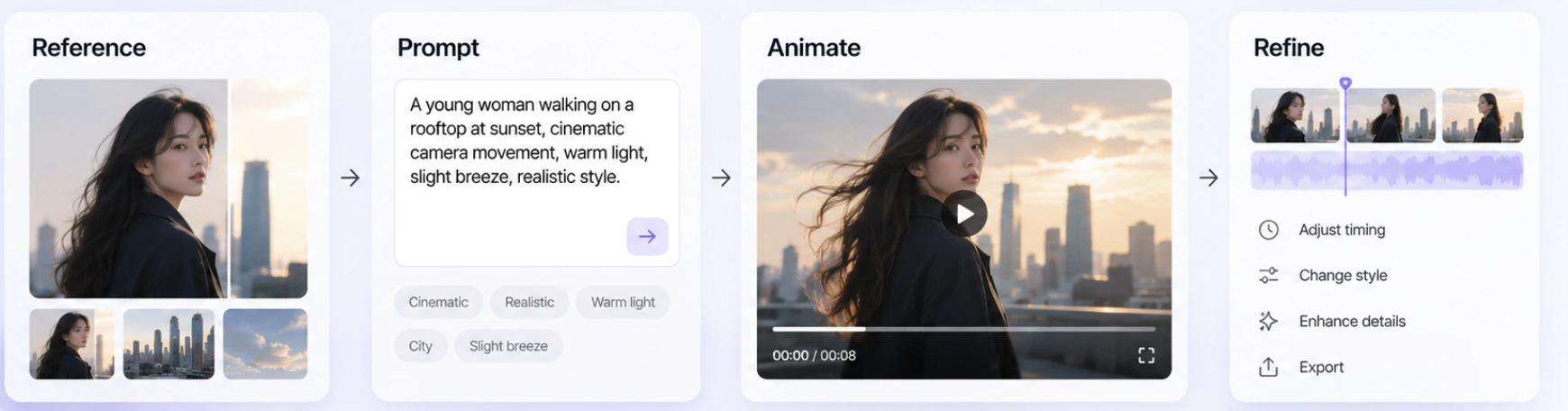
Step 4: Generate and Track Your Animation
After the storyboard and assets are approved, MOVO AI Video Agent begins rendering the video shot by shot.
You can follow the production progress through the To-do list, where each task is shown as completed, generating, waiting, pending approval, or failed.
MOVO AI Video Agent uses the approved storyboard and assets throughout rendering to maintain continuity between shots.
Step 5: Continue or Build a Series
Once your animation is complete, you can continue working inside the same Project.
If you want to create another episode with the same characters, environments, products, or visual style, start a new conversation inside the existing Project.
MOVO AI Video Agent can reuse the existing visual asset library and model configuration, helping maintain visual consistency across different episodes.
FAQs
What is the best AI animation generator?
The best AI animation generator depends on your needs. MOVO AI Video Agent is suited to long-form and multi-scene animation, Runway is strong for cinematic shots, Pika works well for short creative animations, Vyond focuses on business animation, Adobe Firefly fits professional creative workflows, and Canva is easy for beginners.
Can AI create animations?
Yes. AI can generate animation from text, images, scripts, references, and other creative assets. Depending on the tool, AI can create motion, characters, scenes, camera movement, visual effects, and multi-scene video.
What is the best free AI animation generator?
The best option depends on your workflow. Canva is accessible for simple animation, while other AI animation platforms also provide ways to try AI video creation before moving to paid usage. For more advanced projects, consider whether the free experience also supports the type of animation you ultimately want to create.
How do I make AI animations?
Choose an AI animation generator, define your idea, add a prompt or visual reference, generate the first result, and refine it. For longer animations, also consider how the tool handles characters, scenes, continuity, and story structure across multiple generations.
Can I create animation with AI from an image?
Yes. Many AI-powered animation tools can use images as inputs or visual references. You can provide an image and describe the movement, camera behavior, environment, or story you want the AI to create around it.
How do I use AI for animation without complex prompts?
Choose a conversational or guided AI creation workflow. MOVO AI Video Agent allows you to start with an idea, script, reference, or asset and refine the project through conversation rather than managing a series of disconnected prompts.
Can AI animation generators create long videos?
Some AI animation generators focus mainly on individual short clips, while other workflows are designed around long-form creation. MOVO AI Video Agent is built for long-form video production and can support 120s+ narratives as part of a complete conversational workflow.