Start With the Story Your Cartoon Tells
A cartoon maker can help assemble animated scenes, characters and narration. Begin with a small story that is understandable without a long explanation: someone wants something, takes an action and reaches a meaningful outcome.
The Renderforest cartoon maker page describes template selection, scene customization and audio. That is an external assembly workflow. Check its actual editor for the characters, scenes and export options you intend to use.
The MOVO entry above starts an original scene conversation. It does not open that template catalog or provide a frame-by-frame cartoon timeline. Use it to develop a visual story while keeping exact assembly and provider-specific controls in the appropriate tool.
Give the Character a Recognizable Silhouette
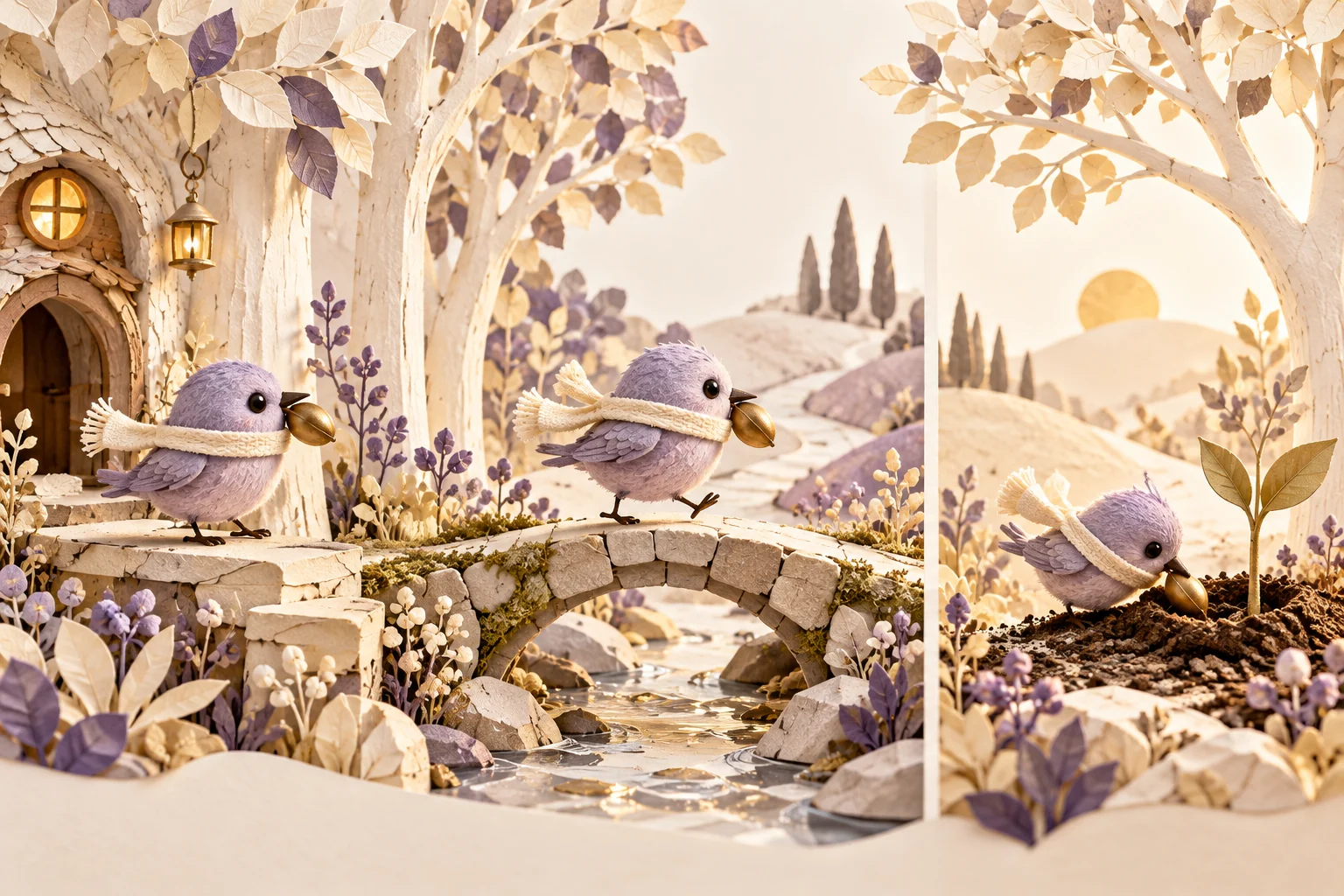
Choose a few defining traits for an invented character. Shape, color and a simple prop can communicate more reliably than a long list of tiny details. A round lavender bird carrying a brass seed gives the story a clear subject and objective.
Record those traits in a short reference description for every scene. Include the character's size relative to the environment. Consistency becomes harder to assess when each brief describes a different outfit, body shape or visual style.
Use original characters and authorized references. If a scene resembles a familiar franchise unintentionally, revise the distinguishing features. A recognizable creative identity should come from your own design choices rather than an assumption that a known character is available to reuse.
Build Each Scene Around One Visible Action
Divide the story into a beginning, a complication and a resolution. Give each part a concrete action: the bird finds the seed, carries it across a stream and plants it in a quiet garden. The audience should see what changes.
Keep the action and camera manageable within each shot. Several simultaneous movements can obscure the story and make continuity harder to judge. A clear gesture often communicates more than a crowded scene full of unrelated activity.
Explain the intended endpoint for each scene so the next one has a logical starting point. Review props, direction of travel and environment details across the sequence. Generated images or clips should be inspected individually before being treated as a coherent cartoon.
Use Dialogue and Sound to Support the Picture
Write narration only after the visual action is clear. If the words explain something already obvious, shorten them or let the image carry the moment. Reserve dialogue for information, personality or emotion the scene actually needs.
Record pronunciation and timing notes for important words. Add exact titles and captions in finishing controls where spelling and reading time can be checked. Do not rely on a generated scene to preserve all written text accurately.
Choose sound effects and music with a defined role, such as a small landing sound or a quiet transition. Listen to the complete sequence to ensure sound does not hide dialogue or imply a different action from the one shown.
Assemble and Review the Complete Cartoon
Bring approved scenes into a suitable editor and check the sequence from beginning to end. Confirm that the character's goal remains understandable and the ending follows from what happened. Remove shots that repeat information without advancing the story.
Inspect visual consistency, cuts and audio transitions in the saved file. Keep the character brief and accepted scene versions so revisions can address a specific continuity problem. A polished single frame does not prove a complete story works in motion.
The bird-and-garden image is original conceptual artwork. It is not a template preview or a guaranteed character-consistency example. MOVO planning and any external cartoon-editor assembly remain separate workflows without an automatic project transfer.
Frequently Asked Questions
Does MOVO open a cartoon template library here?
No. This entry starts an original scene brief.
What makes a useful first cartoon story?
A clear character, a small goal, one obstacle and an understandable result.
How can I describe a character consistently?
Repeat a short approved description of shape, color, scale and defining props.
Will separate generated scenes automatically match?
Do not assume that. Review appearance, props and action across the sequence.
Where should dialogue timing and captions be finished?
In appropriate audio and editing controls where exact timing and text can be checked.
Is the lavender bird a stock character?
No. It is an original invented editorial character.